No-code database for armed forces, police, authorities and critical infrastructure

Tables, formulas, rules, analyses, reports, dashboards and whole websites without a line of code. Everything runs in your own premises, every change is signed and chained. For bodies that must not give their data out of their hands.

Status 12 Nov 2026
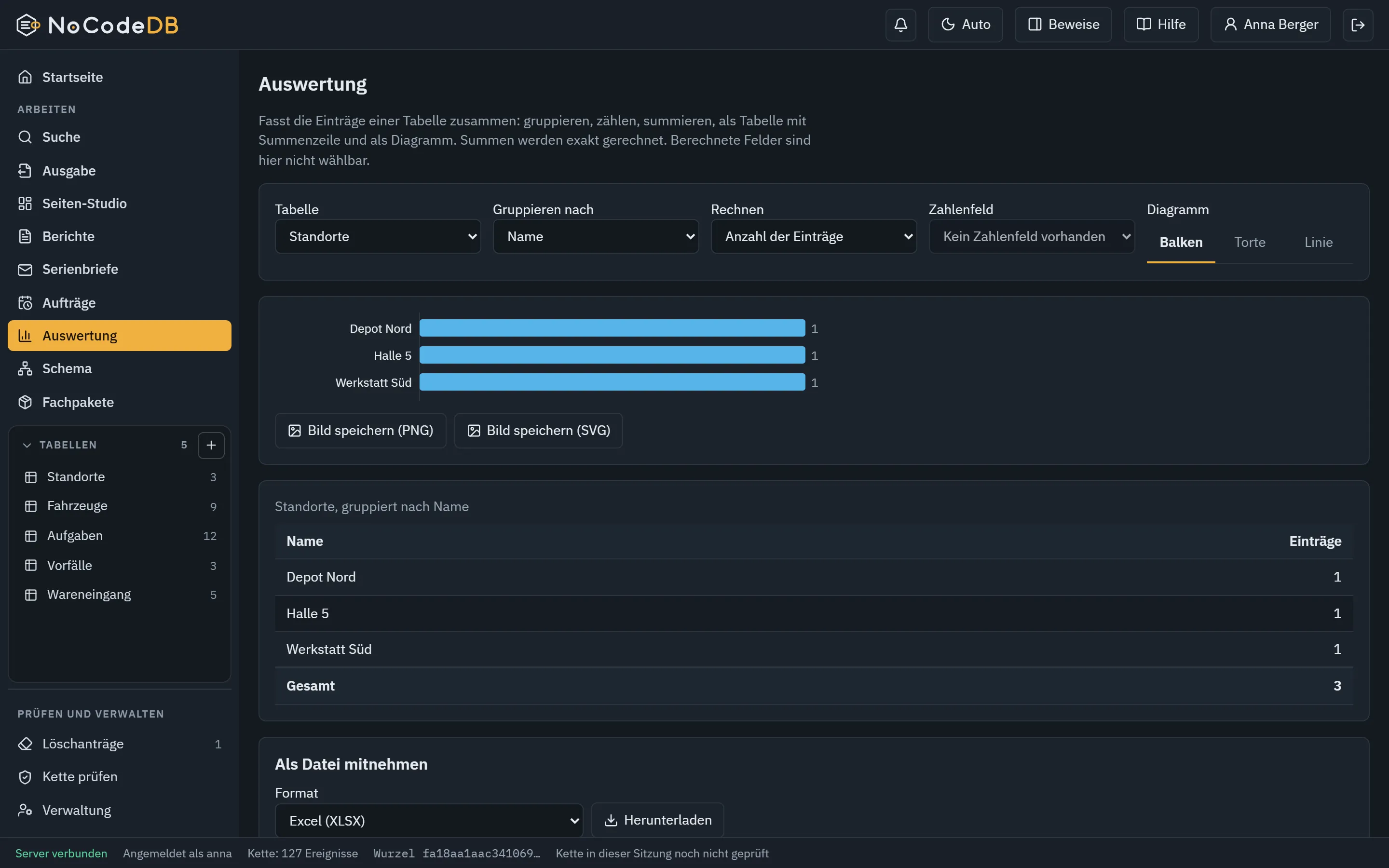
Analysis with bar chart and total row in NoCodeDB
0
export formats
0
individual rights
0+
field types
0
automated checks, rounded

Film

From a table to a finished page in 84 seconds.

A table, a dashboard, a form and the proof that every change holds. This is what working with NoCodeDB looks like for specialists.

Film

The film only loads when you start it and consent in the next window. Until then no data is sent to YouTube (youtube-nocookie.com). Details are in the Defconder privacy policy.

All data in the film is invented exercise data from a local test instance. The film has no voice-over, the sound is synthetically generated.

Who for

For bodies that must not give their data out of their hands.

NoCodeDB is offered, for now, only to armed forces, police, public authorities and operators of critical infrastructure. Not because others could not need it, but because data sovereignty, proof and operation are strictest here and we want to meet them properly.

What is NoCodeDB?

NoCodeDB is a no-code database that lets specialists build data applications without programming: tables, formulas, rules, analyses, reports, dashboards and websites. It runs as a single service in your own premises, and every change is signed and verifiable in a hash chain. It is offered to armed forces, police, public authorities and critical infrastructure operators. Enquiries go through Defconder.

Armed forces

Situation pictures, inventories, exercise data and reporting routes in your own infrastructure, also without internet. Changes provable for queries and audits.

Police

Cases, vehicles, assets and reports built by the specialist unit itself. Every change is signed, deletions need a second person.

Public authorities

Small specialist procedures without a development project: tables, capture forms for colleagues, reports, mail merge, analyses.

Critical infrastructure

Plants, maintenance, faults and reports with an audit trail, plus dashboards and reports for control room and management.

Type
No-code database with page and website generation
Operation
One service on your own machine or network, no cloud, no telemetry
Proof
Hash chain, Ed25519 signature per event, independent verifier
Platform
Windows
Offered to
Armed forces, police, authorities, critical infrastructure operators
Enquiry
Through Defconder, demonstration on request

No offer for private individuals or the open market. Access goes to bodies that Defconder verifies as eligible in conversation.

In your premises

A single service on your machine or in your own network. No cloud, no telemetry, outgoing connections only when you explicitly allow them.

Every change proven

Hash chain, a signature per event, a separate verifier program. Tampering shows.

Output you can use

View, analysis, Excel, PDF, dashboards and multi-page websites with a menu. Plus reports and mail merge.

How it works

Build, view, output. Three steps to the result.

People who work with it need no database knowledge. They say what they want to record and choose what should come out at the end.

Build

Create a table or import a template. Choose fields, set formulas and rules, link tables to each other.

  • More than 20 field types, from text to currency to links
  • Formulas with German names, rules against input errors
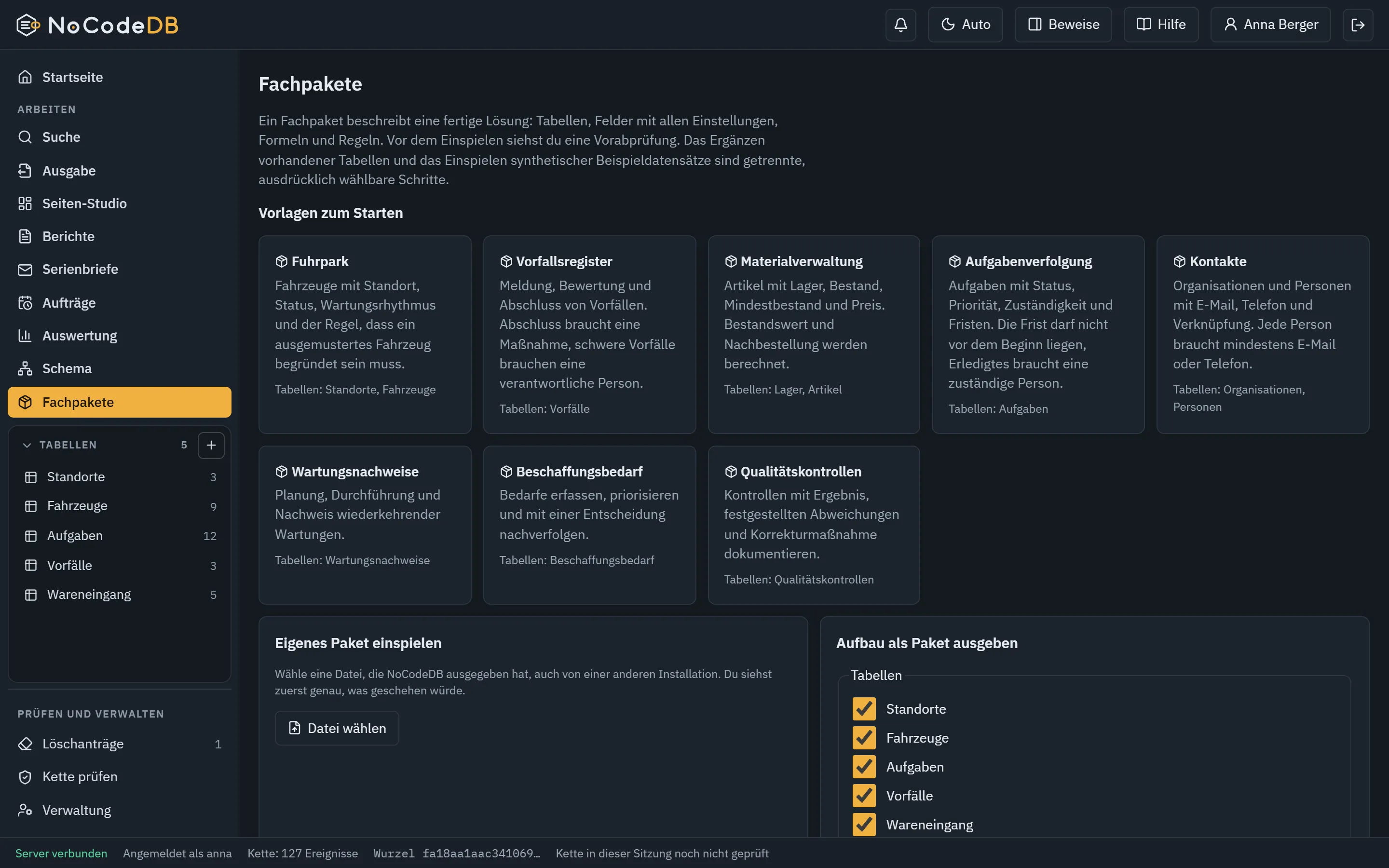
  • Template packs with ready-made tables and rules
  • Import from CSV, Excel, ODS and JSON
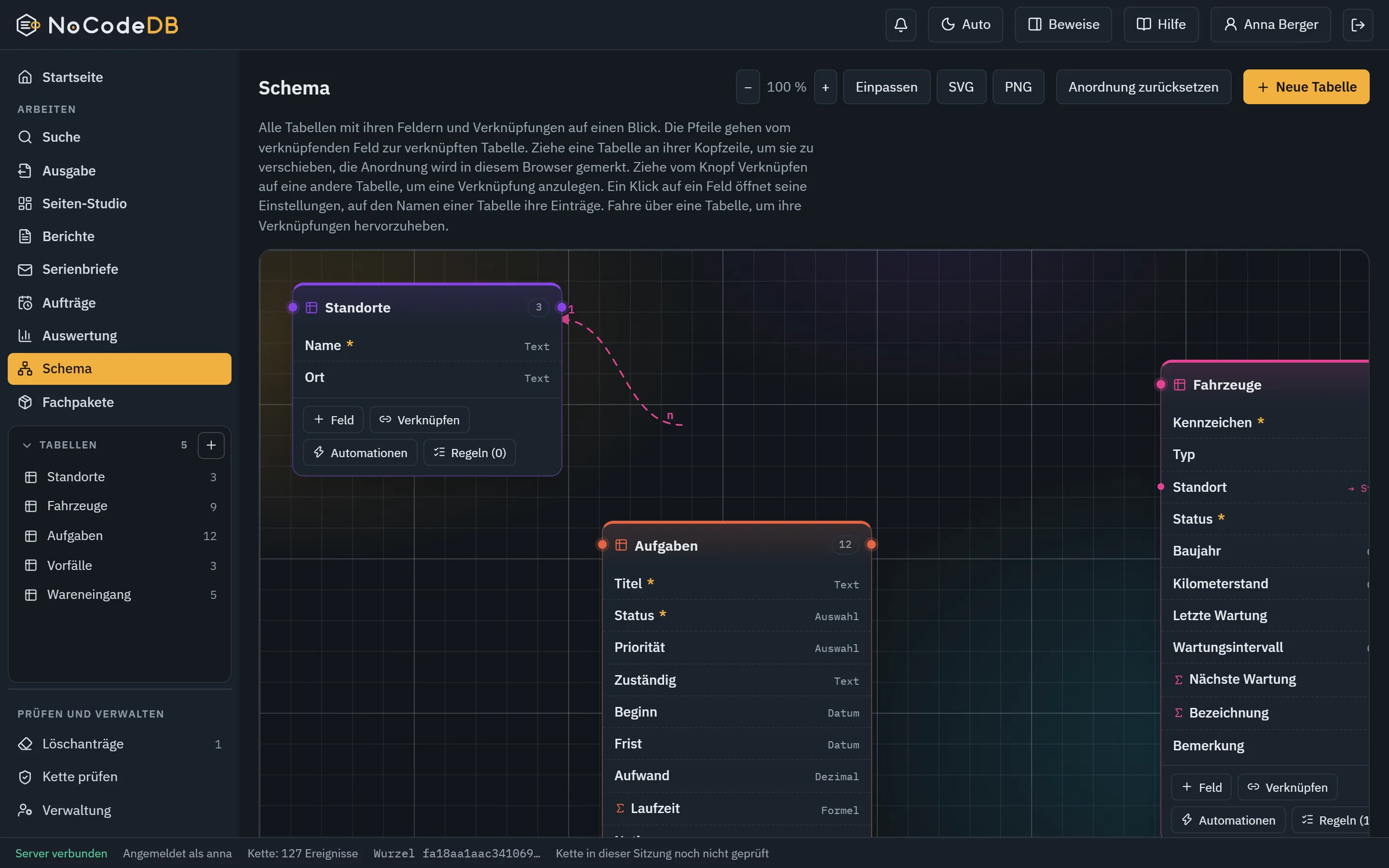
Schema view with tables, fields and links

View

The same data as table, Kanban, calendar or gallery. Group, sum and show as a chart.

  • Saved views with filter and sort
  • Search across all tables you may see
  • Analysis with total row, bar, pie and line
  • Exact arithmetic, also for currencies
Analysis with bar chart and total row

Output

Bring the result where it is needed, and prove where it came from.

  • Excel, ODS, CSV, PDF, JSON and more, 15 formats in total
  • Chart as image, file with checksum
  • Into a folder, by e-mail or to another system, on request
  • Dashboards, websites, reports and mail merge for your own domain and operation
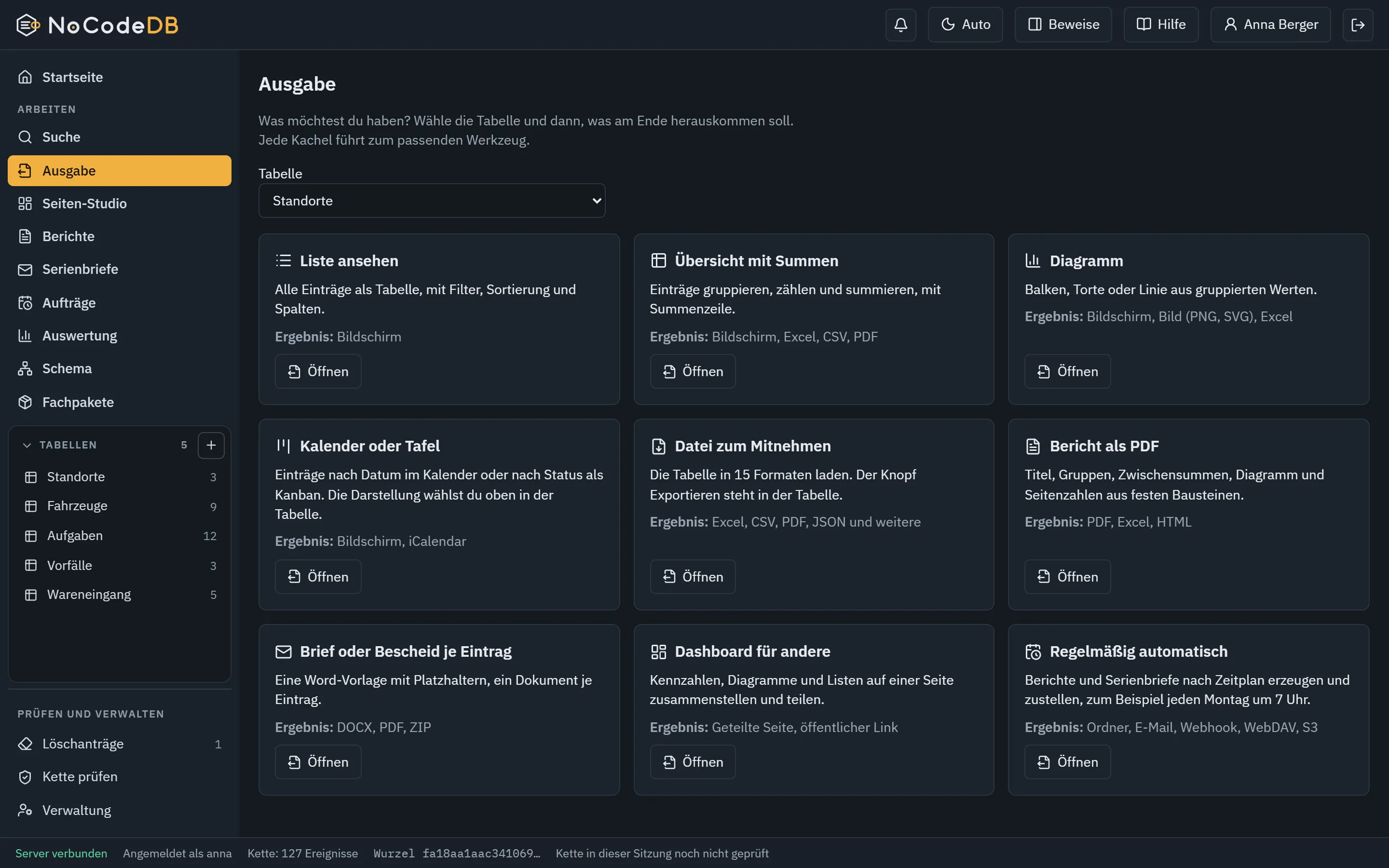
The Output page with tiles for every way to a result
Schema view with tables, fields and links
Analysis with bar chart and total row
The Output page with tiles for every way to a result

Page Studio

Data becomes dashboards, websites and forms. No code, no cloud.

The Page Studio is the layout editor of NoCodeDB. You click together key figures, charts, tables, texts, images and forms and get a finished, self-contained website, a PDF or an image.

Page Studio

An editor that works like a layout program

Drag blocks, snap them, resize, align and copy them, also between pages. Everything works by keyboard too.

  • Twelve blocks: key figure, chart, list, table, progress, text, heading, image, divider, button, tabs, form
  • Ten templates, including situation picture, status page and survey
  • Multi-select, align, zoom, guides, layer list
  • Undo, redo, optional autosave
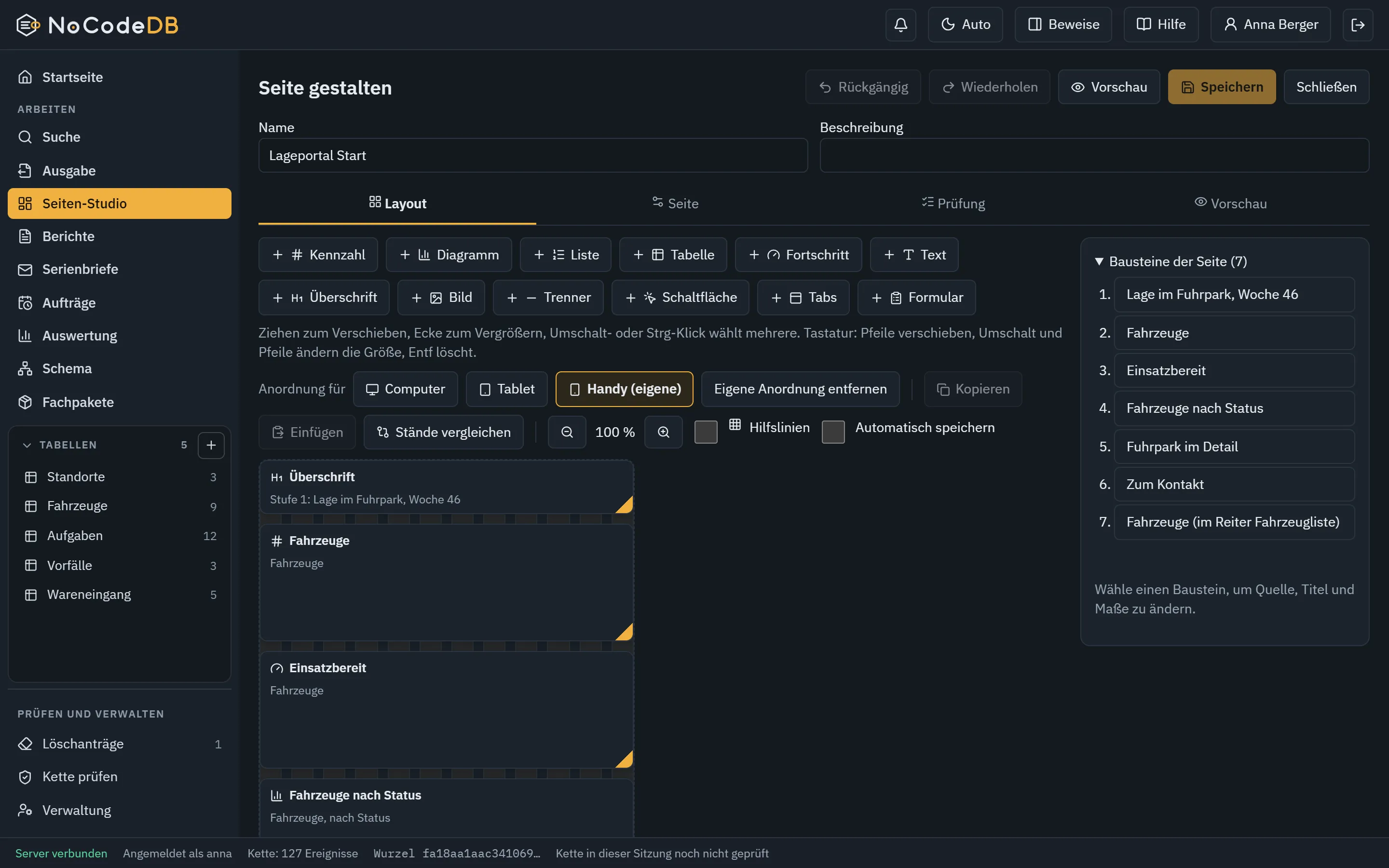
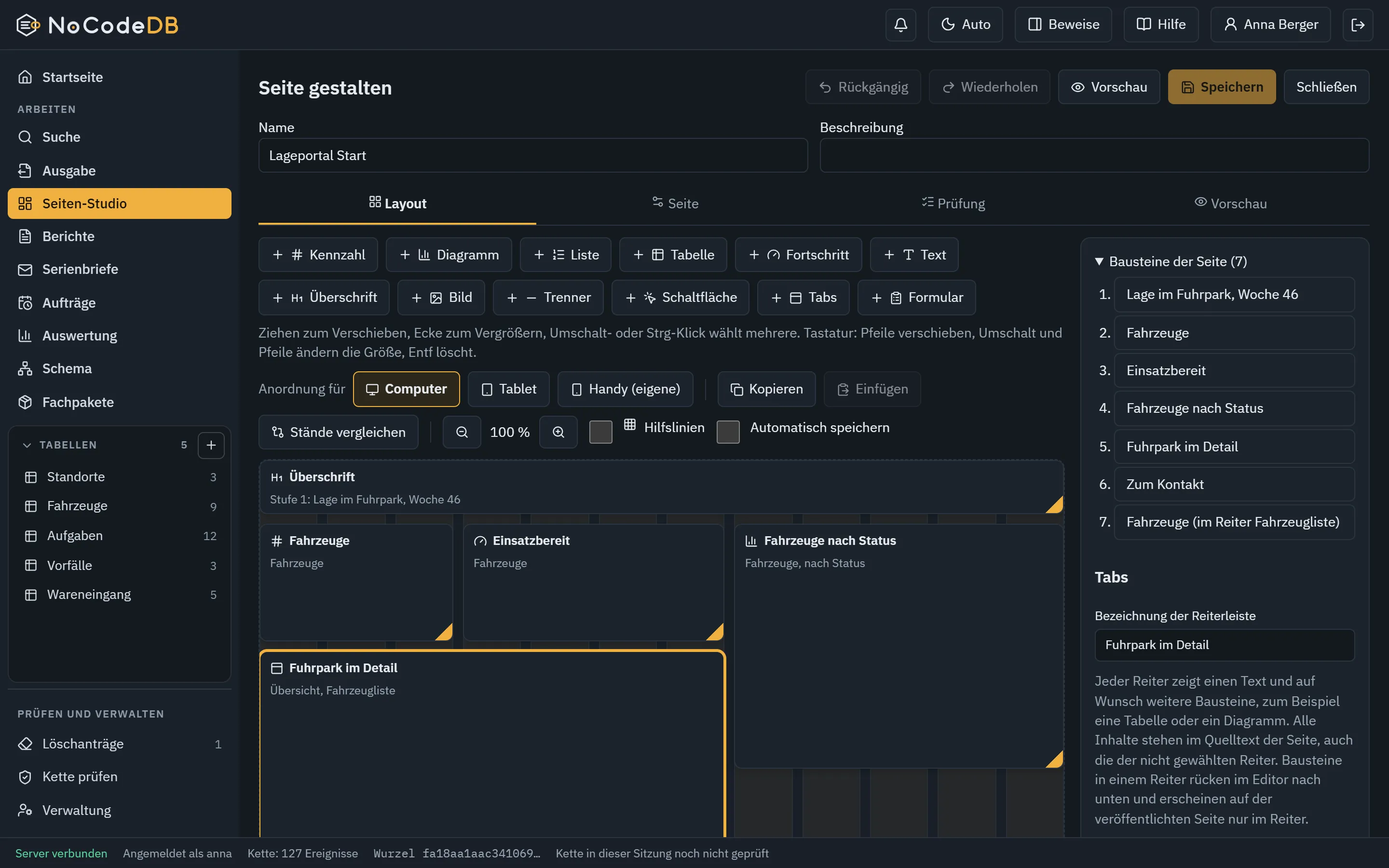
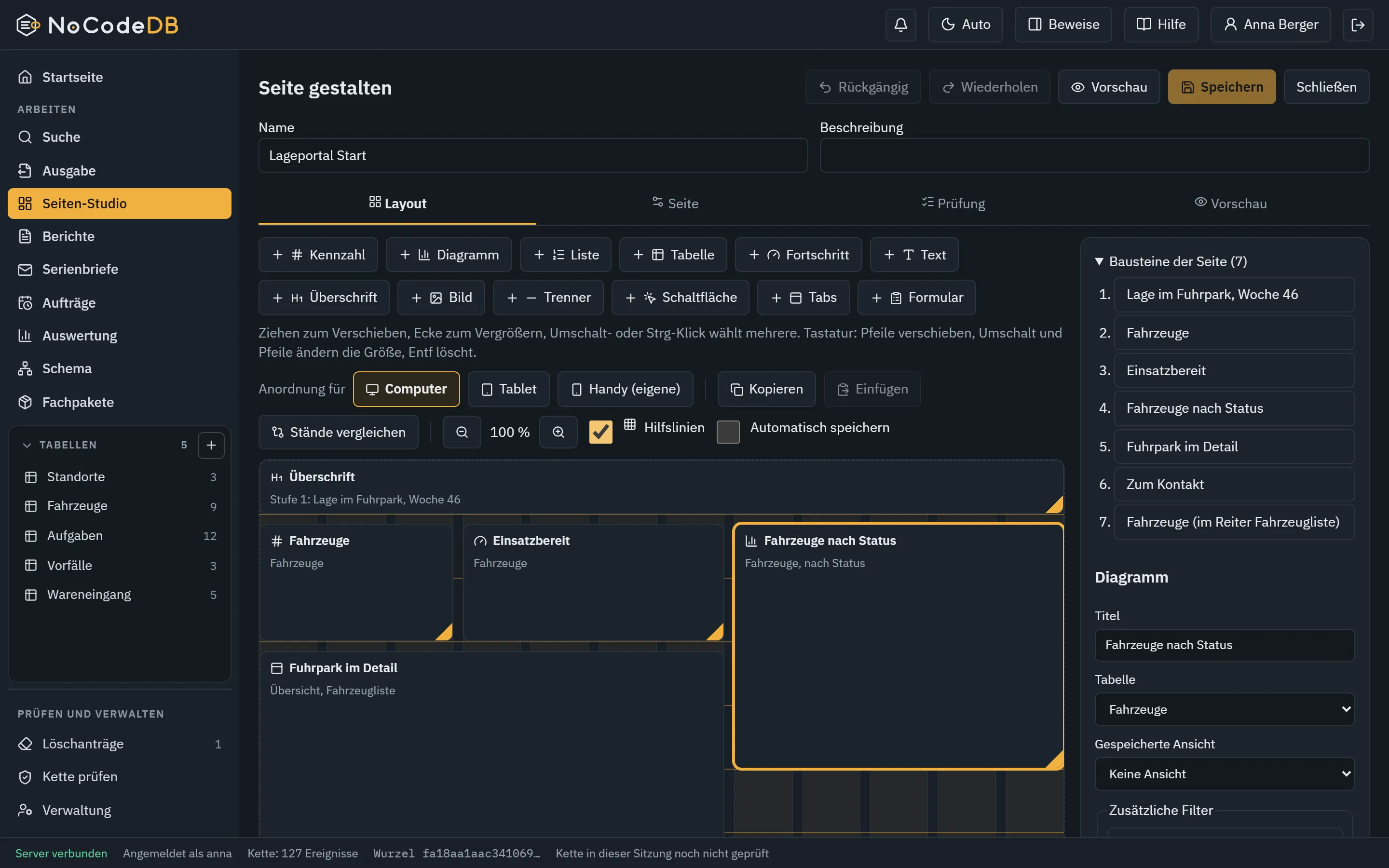
Page Studio layout editor with blocks, guides and properties

PDF and image of a page are rendered by the server with an installed Microsoft Edge or Google Chrome.

Features

What NoCodeDB can do.

Everything in this list is built and tested.

01

Data and fields

  • More than 20 field types: text, number, decimal, date, choice, currency, percent, duration, rating, coordinate, attachment and more
  • Required, unique, value ranges, rules with their own error message
  • Links between tables, lookup, rollups with sum, count, average, minimum, maximum
  • Calculated fields with German formula names
  • Attachments with checksum
02

Viewing and working

  • Grid, Kanban, calendar and gallery
  • Saved views, search across all tables
  • Schema as a database diagram, movable, saveable as image
  • Comments on records, simultaneous editing without silent overwrite
  • Time travel, named states, comparison, recycle bin
03

Page Studio

  • Twelve blocks: key figure, chart, list, table with search, sort and filter, progress, status light, text, heading, image, divider, button, tabs and form
  • Ten templates, including situation picture, status page and survey with analysis
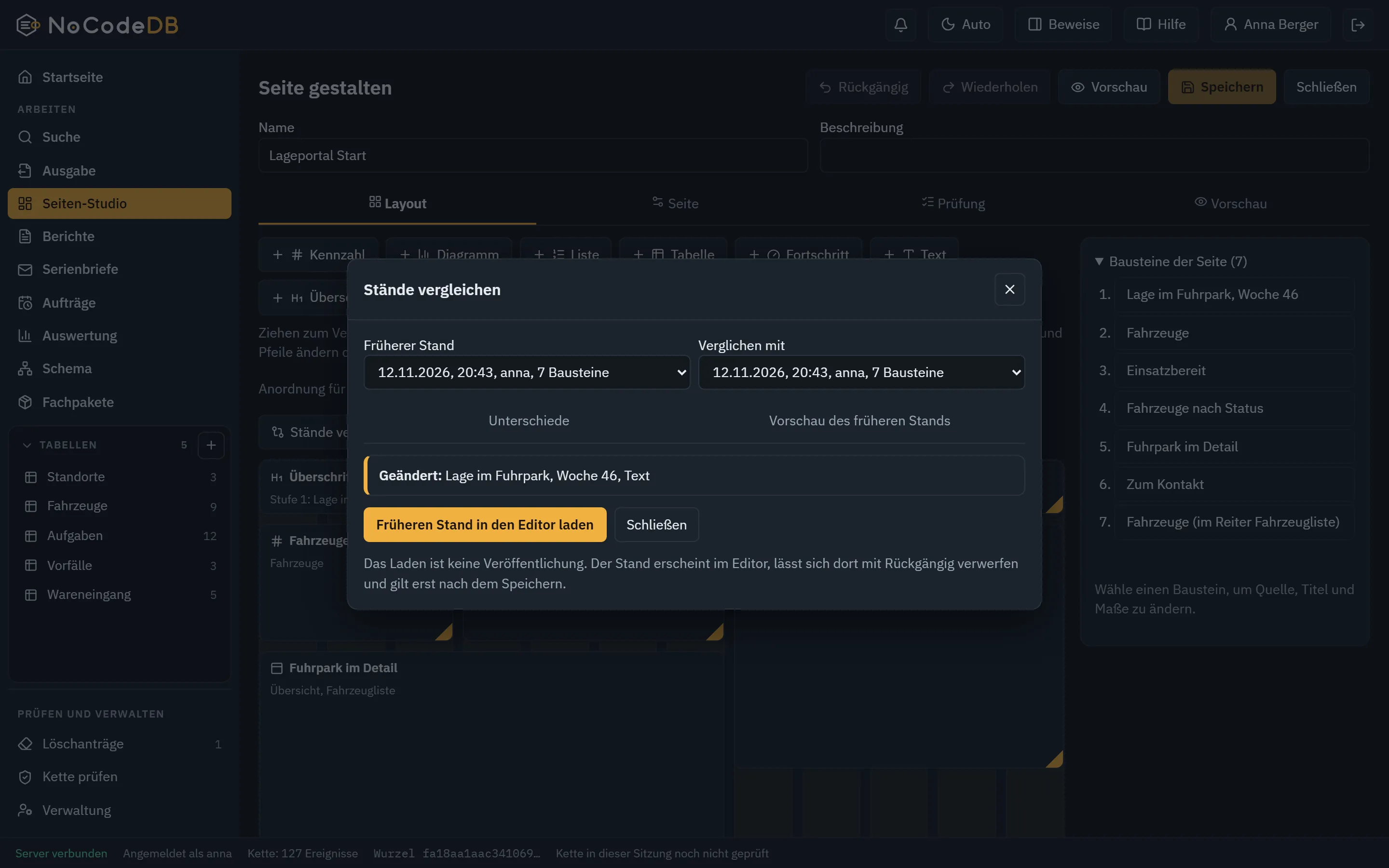
  • Own arrangement for tablet and phone, multi-select, align, zoom, guides, copy between pages, comparison of earlier states
  • Multi-page website with menu, submenu, sitemap.xml and checksum per file, runs on any web server and by double-click
  • Publishing only as an approved state: ZIP, HTML, PDF, image, link with expiry, on request on a schedule
  • Capture forms for accounts without table access, only in the application
  • Checks before publishing, SVG images strictly validated
04

Everyday tools

  • Copy a table with fields, rules, views and calculations, optionally with up to 100 records
  • Save your own table templates, name them and apply them as a new table at any time
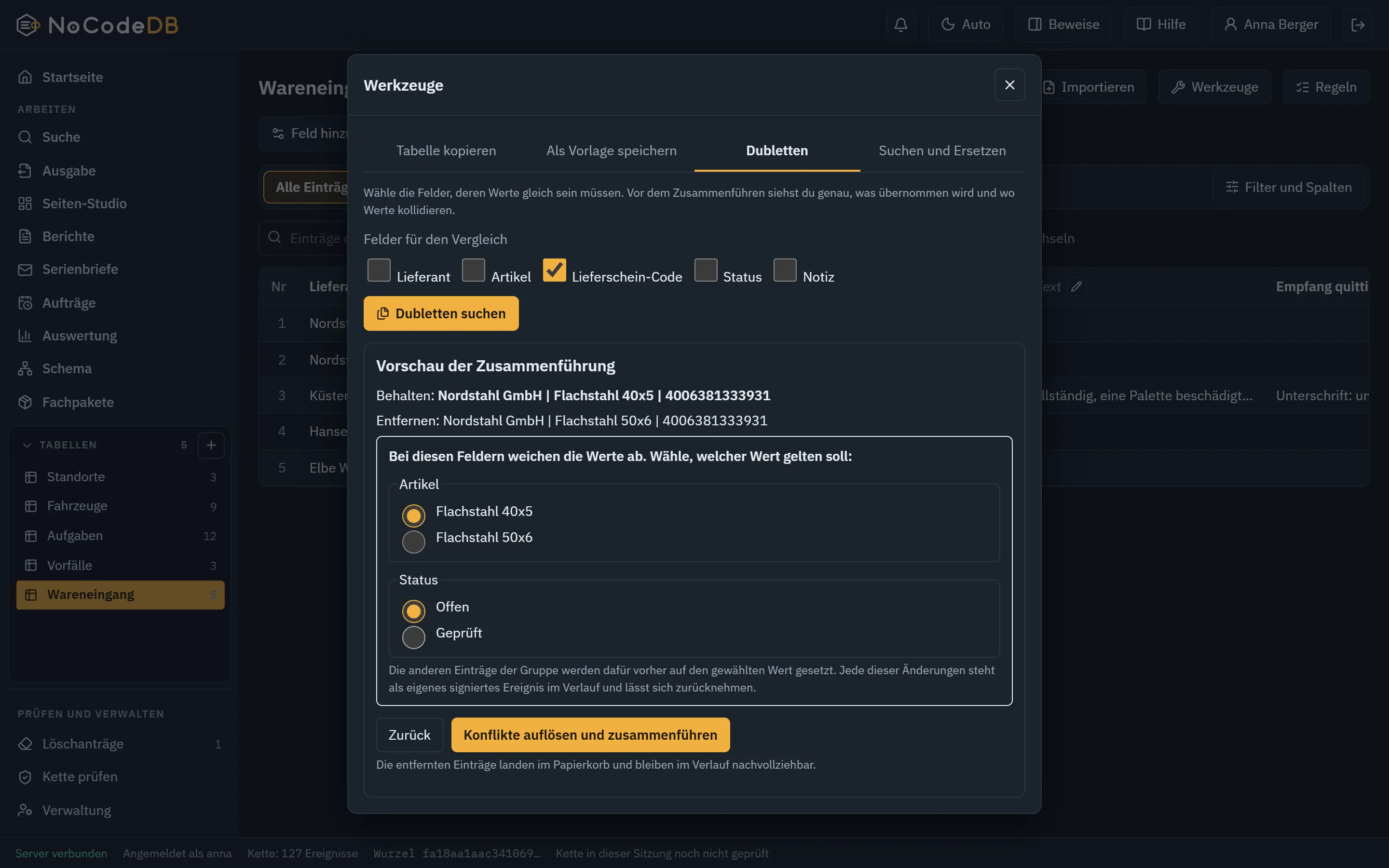
  • Find duplicates, merge with a preview and a choice per differing field, every step a signed event
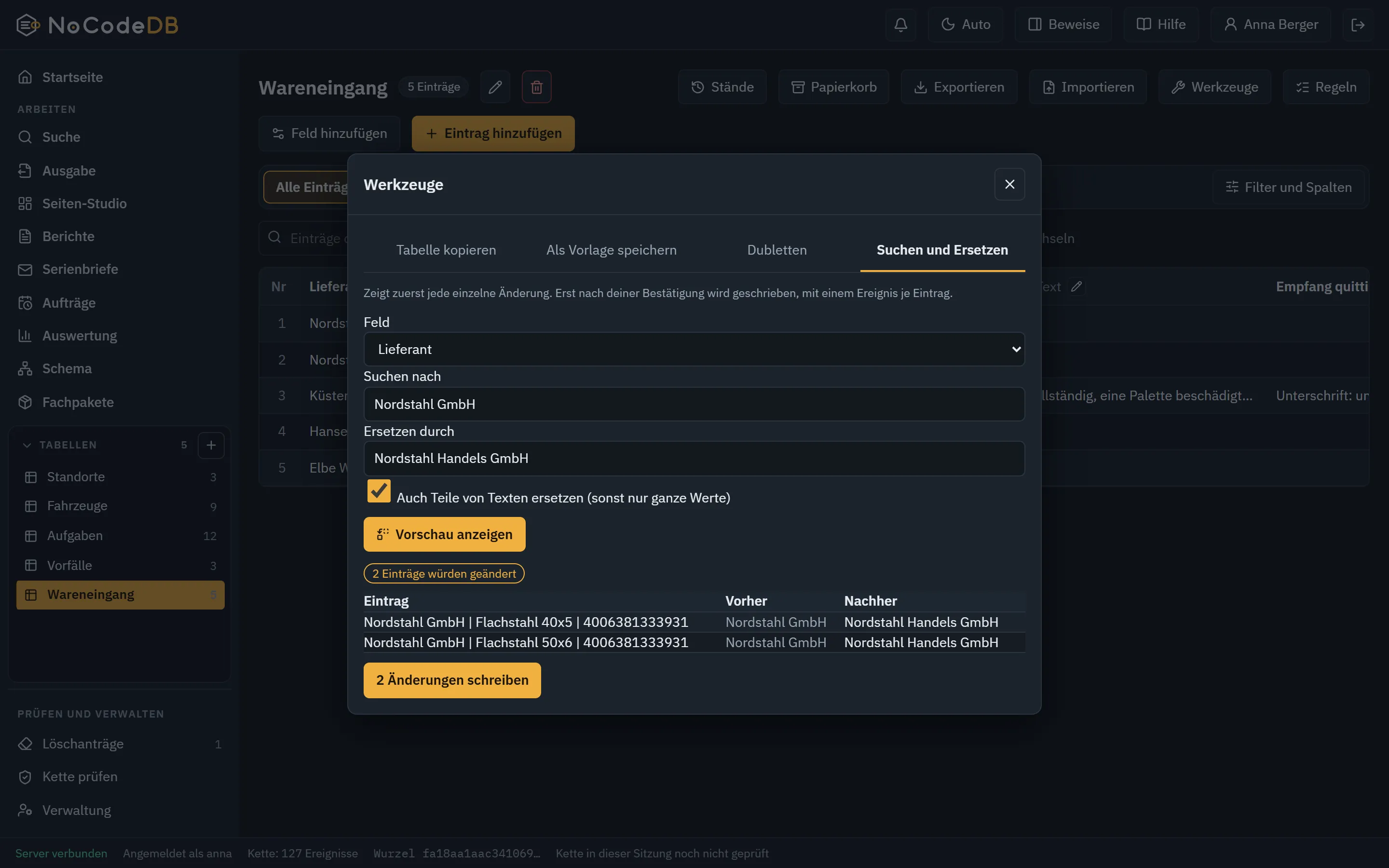
  • Search and replace with a preview of every single change, nothing is written before you confirm
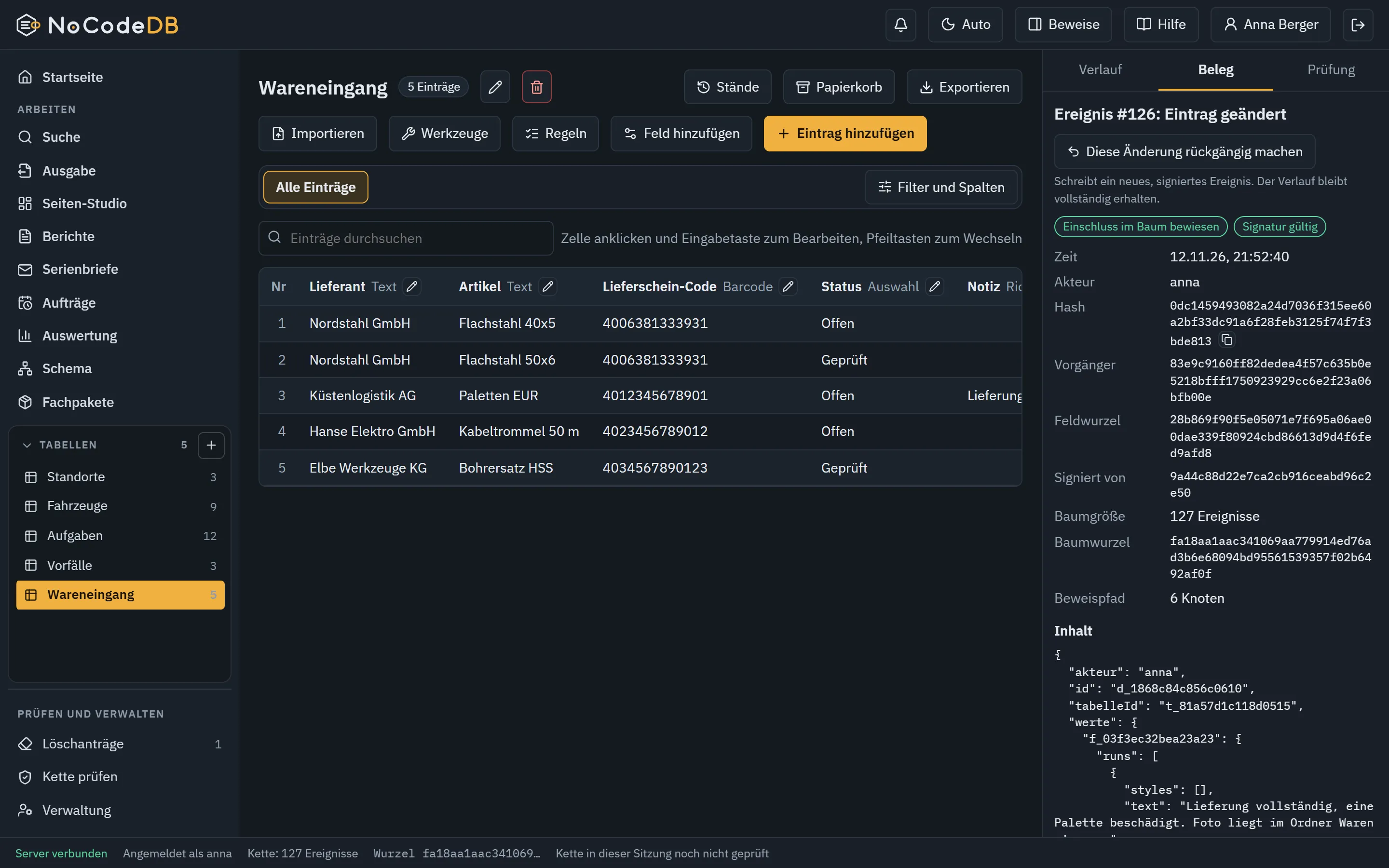
  • The latest change to a record, field, rule, view, automation or table can be reverted as a new event, the history stays complete
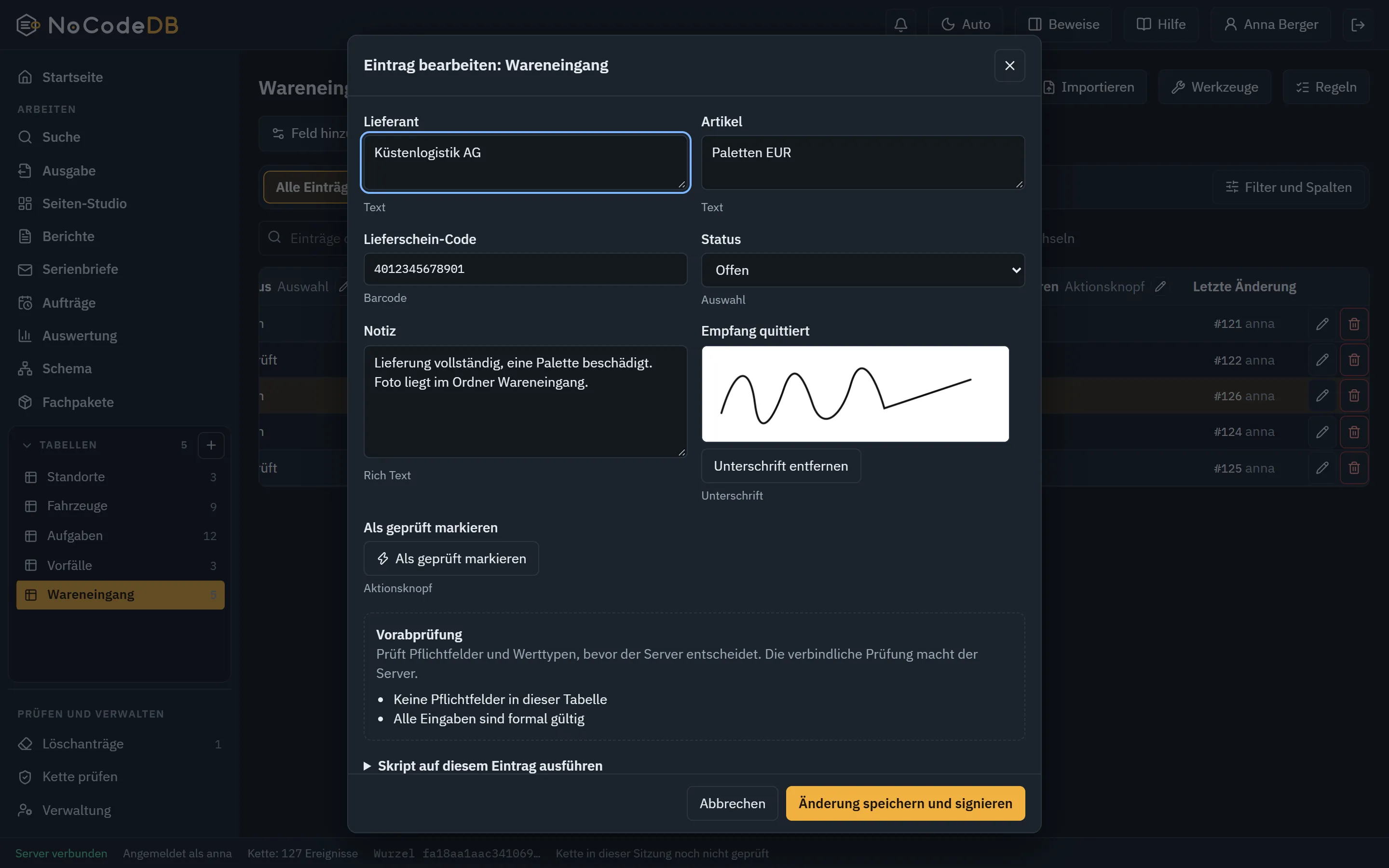
  • Barcode, rich-text note, drawn signature stored as an encrypted attachment and an action button that triggers an automation
  • Scripts on a record in an isolated sandbox, with the rights of the calling person and a source checksum in the chain
  • Mentions with @ in comments
05

Analyse and output

  • Group, count, sum, average, smallest and largest
  • Bar, pie and line, saveable as PNG or SVG
  • 15 export formats with checksum and an entry in the chain
  • Formula characters in CSV are neutralised
  • An Output page that shows the way to the result
06

Teamwork and rights

  • Roles, custom roles, 19 individual rights
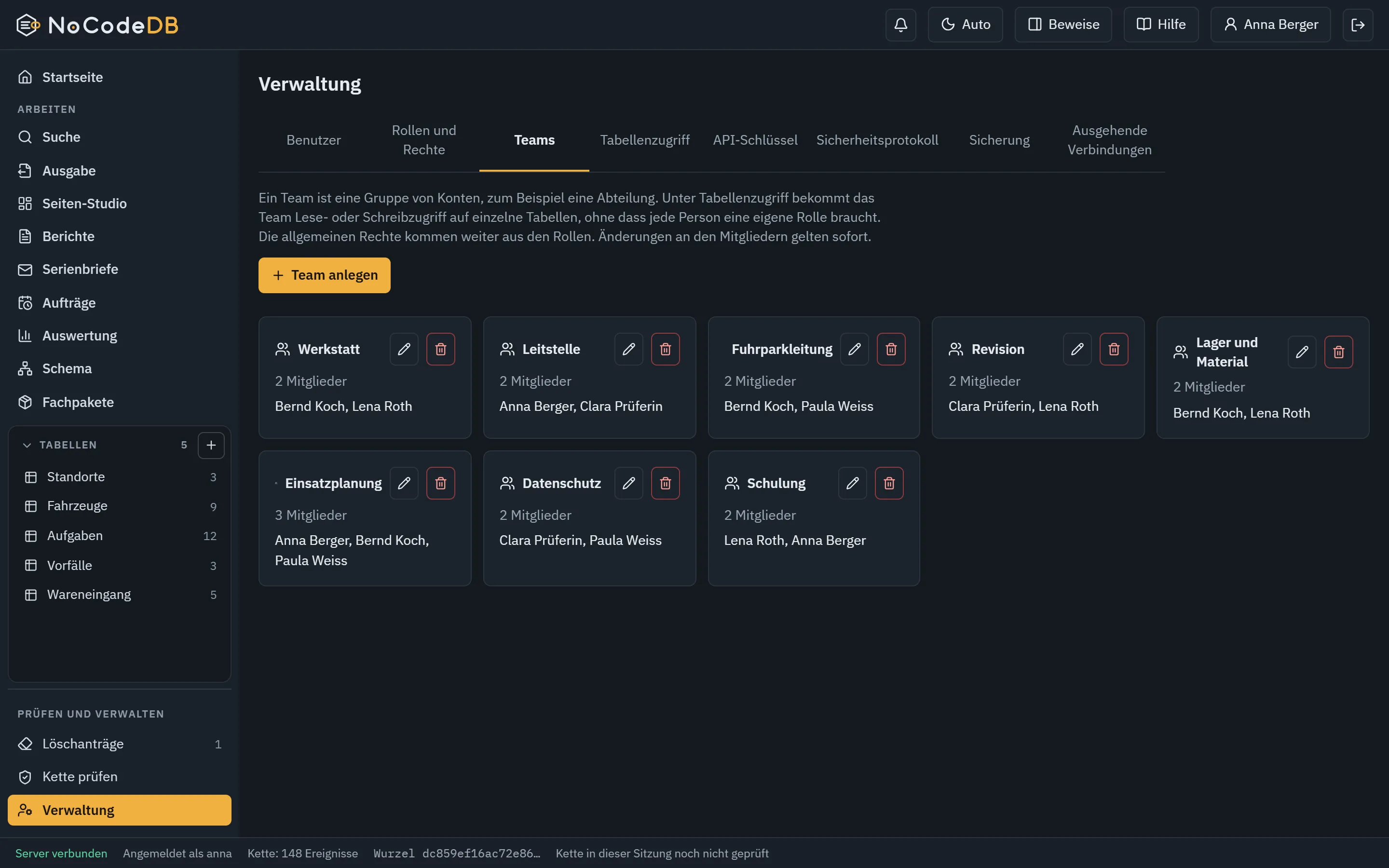
  • Teams: groups of accounts, for example a department, that get access to individual tables like a role. A change takes effect at once
  • Rights per table for roles and teams: read, write or nothing
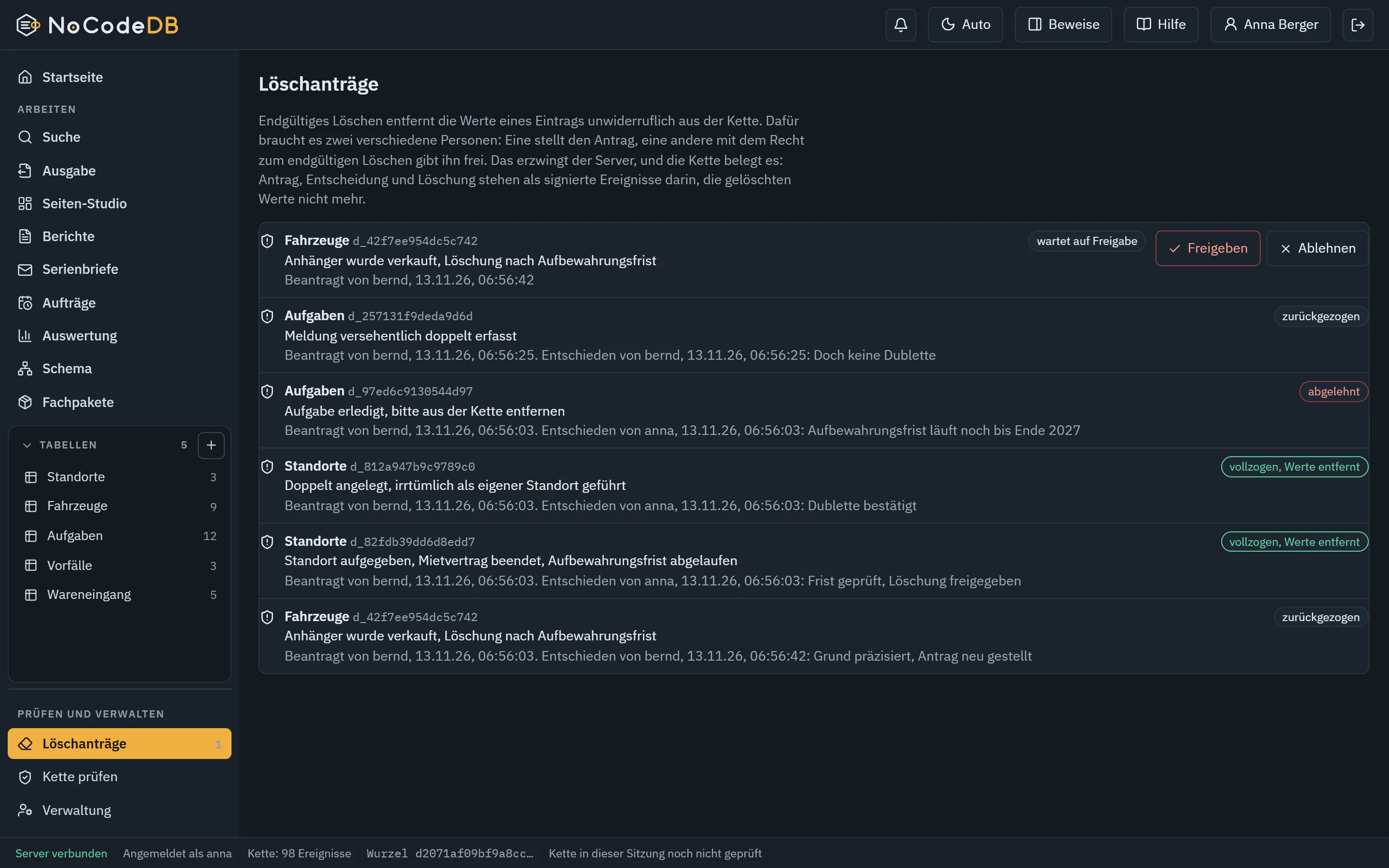
  • Final deletion only with a second person, still verifiable
  • Approved states for signed-off versions
  • Personal notices in the application
07

Automate

  • Automations on changes and on a schedule
  • Recurrence plans and linked changes
  • Notices for deadlines and events
  • Webhooks to the outside, on request and signed
  • Webhook as an action of an automation: only explicitly released fields, run with the owner's rights, delivered at least once and repeated with the same identifier after an interruption
08

Connect

  • API with API keys, own rights and rate limits
  • Machine-readable API description (OpenAPI)
  • Access for AI agents through the Model Context Protocol, every call rights-checked
  • Sign-in through a directory (LDAP), company account (OpenID Connect), hardware security keys (WebAuthn)
  • Create, lock and delete accounts from the company directory (SCIM 2.0), never with administrator rights
  • Events to syslog or file, metadata only
09

Operate and back up

  • Graphical installer with dry run, update and uninstall
  • Built-in TLS, master key, encrypted backup
  • Licence verifiable offline, nothing is reported home
  • Own name, logo and colour, installable web app
  • Manual and in-app help
10

Prove

  • Hash chain and Ed25519 signature per event
  • Merkle proofs per RFC 9162, independent verifier
  • Deleting without losing verifiability
  • Evidence of which state an analysis came from
  • List of third-party components (SBOM)

Output

What comes out at the end.

A database is only as good as what you get out of it. These are the ways, today and soon.

  • CSV
  • CSV for Excel
  • TSV
  • JSON
  • NDJSON
  • XML
  • HTML
  • Markdown
  • SQL
  • Excel
  • ODS
  • PDF
  • YAML
  • iCalendar
  • vCard

15 export formats, every export with a checksum in the chain

Done

Table, Kanban, calendar, gallery

For working and viewing in the application, with filter and sort.

Done

Analysis with total row

Grouped by any field, exact arithmetic, also by month or year.

Done

Chart as image

Bar, pie or line as PNG or SVG for slides and documents.

Done

File in 15 formats

Excel, ODS, CSV for Excel, PDF, JSON, XML, HTML, Markdown, SQL and more, with checksum.

Done

To folder, e-mail, webhook

Files into a drop folder, to fixed recipients or to another system. Off by default.

Done

Message to another system

An automation sends only the released fields to a webhook target on a change, signed and proven in the chain.

Done

Report as PDF or Excel

Title, groups, subtotals, chart and page numbers from fixed building blocks.

Done

Letter or notice per record

A Word template with placeholders, one document per record, also as ZIP.

Done

Dashboard in the Page Studio

Key figures, charts, tables and texts on one page, placed by mouse or keyboard exactly where you want them, with its own arrangement for tablet and phone.

Done

Website for your own domain

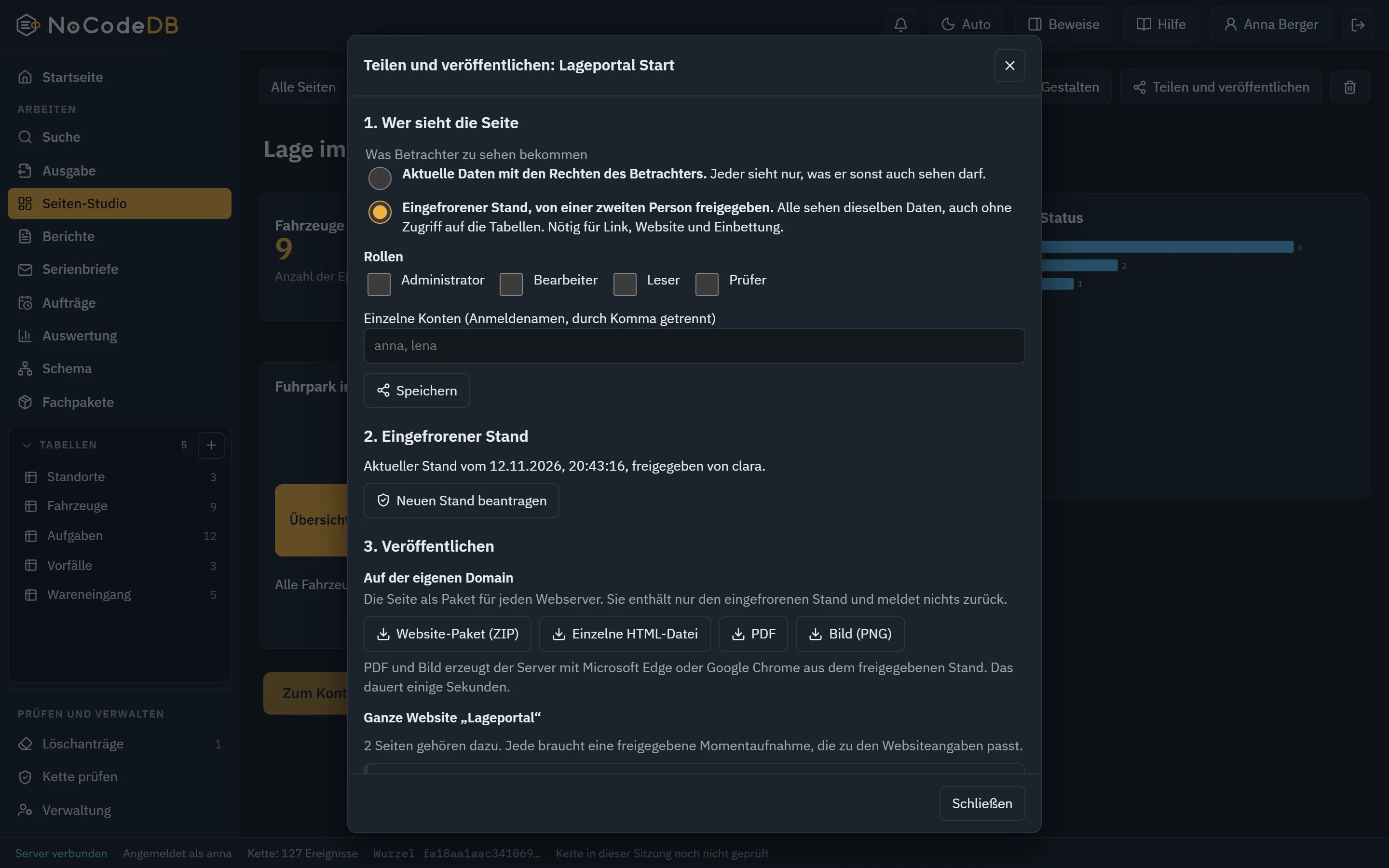
One or more pages as a website with menu, submenu and sitemap, as a package for any web server. Always a frozen state approved by a second person.

Done

Page as PDF and image

The approved state of a page as PDF or PNG, rendered by the server with Edge or Chrome and recorded with a checksum in the chain.

Done

Capture form

Colleagues enter reports without being allowed to open the table. The data core checks required fields and types.

Done

Regularly and automatically

Reports, mail merge, pages and whole websites on a schedule, for example every Monday at 7, with the owner's rights and proof in the chain.

Everything that leaves the system is off by default, limited and recorded in the security log.

Pictures from the program

What it looks like to work with it.

Real pictures from the running program, no mock-ups.

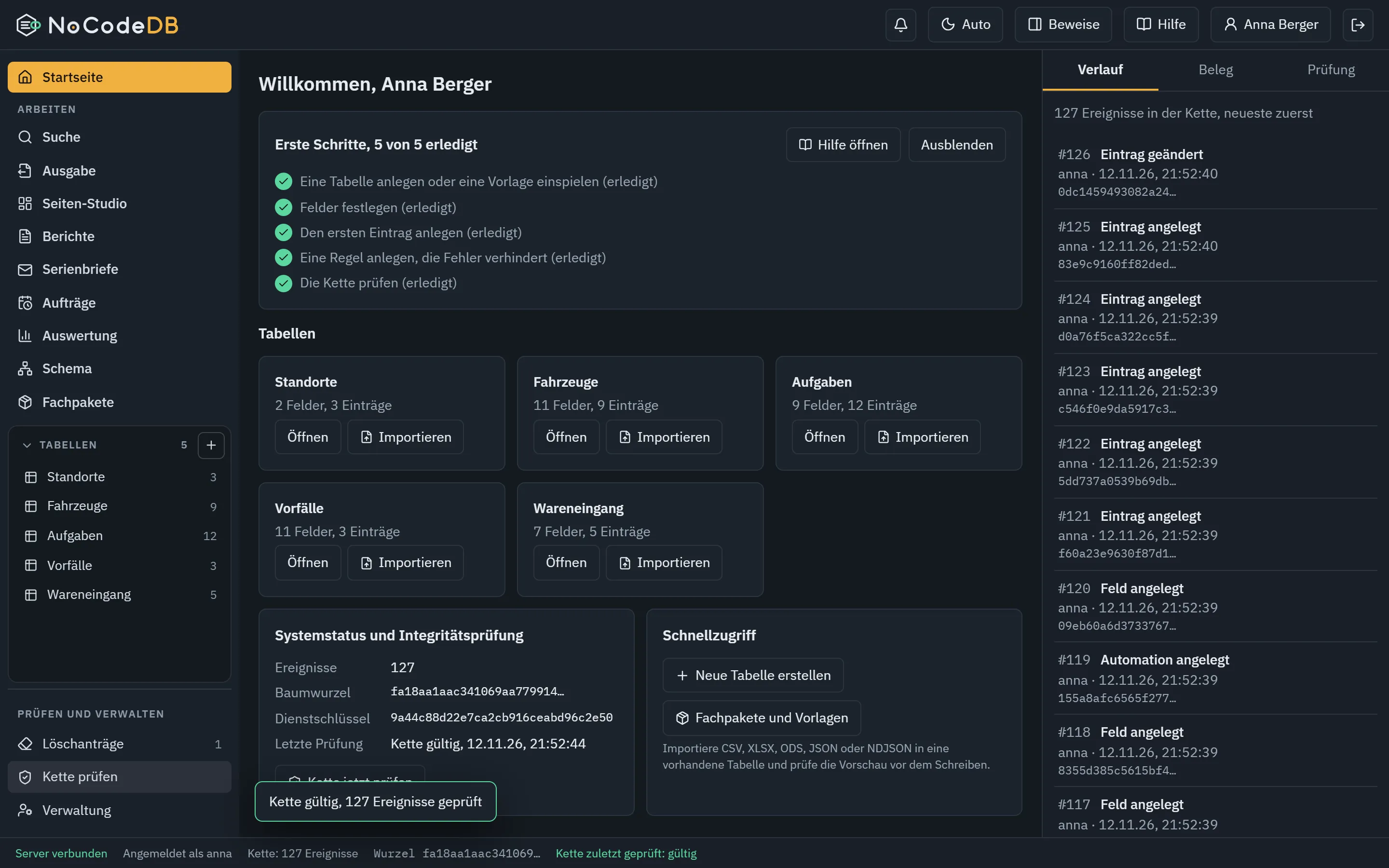
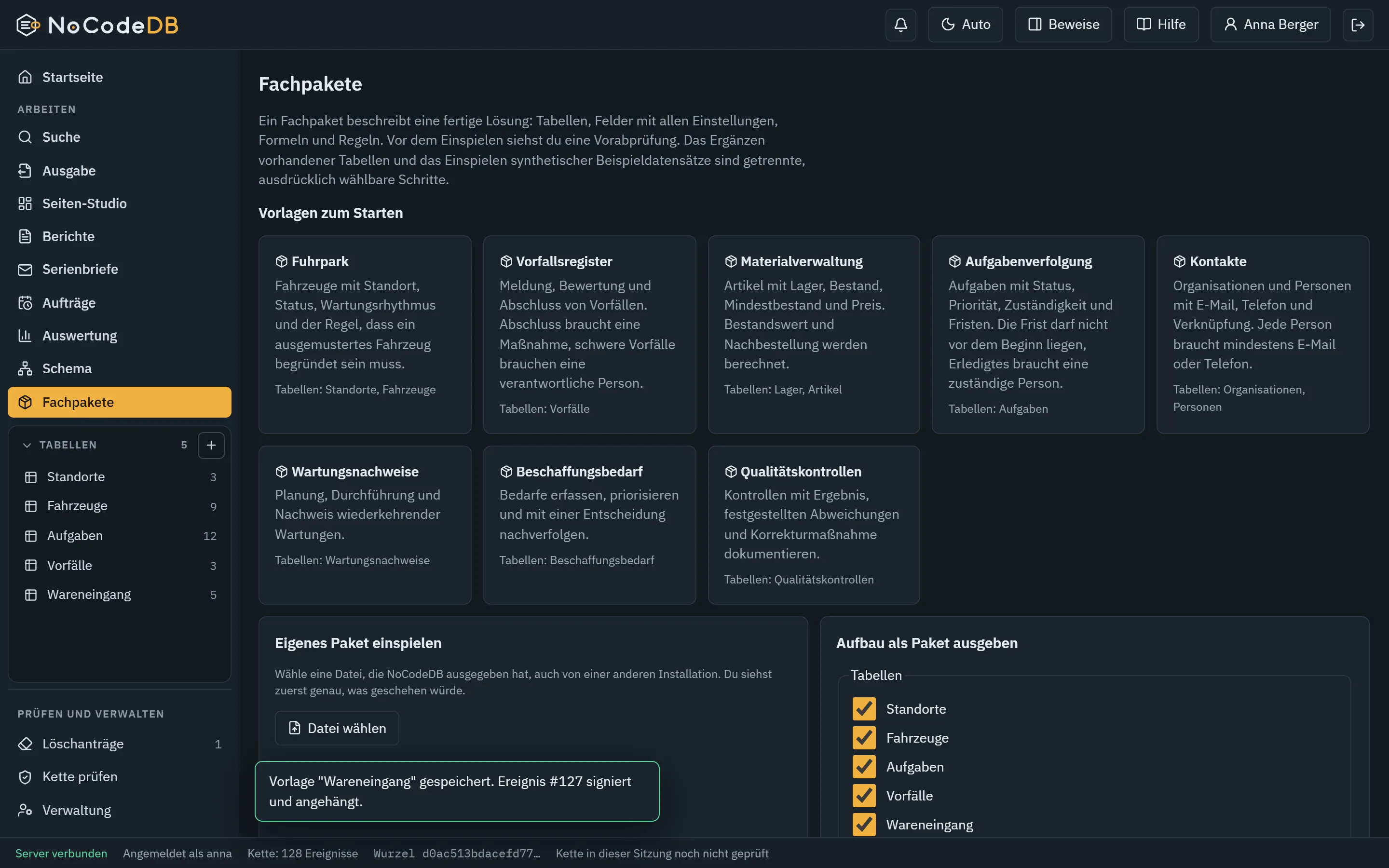
Start page with the first steps, functions on the left and all tables in a separate area. The chain link in the logo glows green when the chain has been verified.
Page Studio: drag blocks, resize and snap them, with guides, properties and layer list.
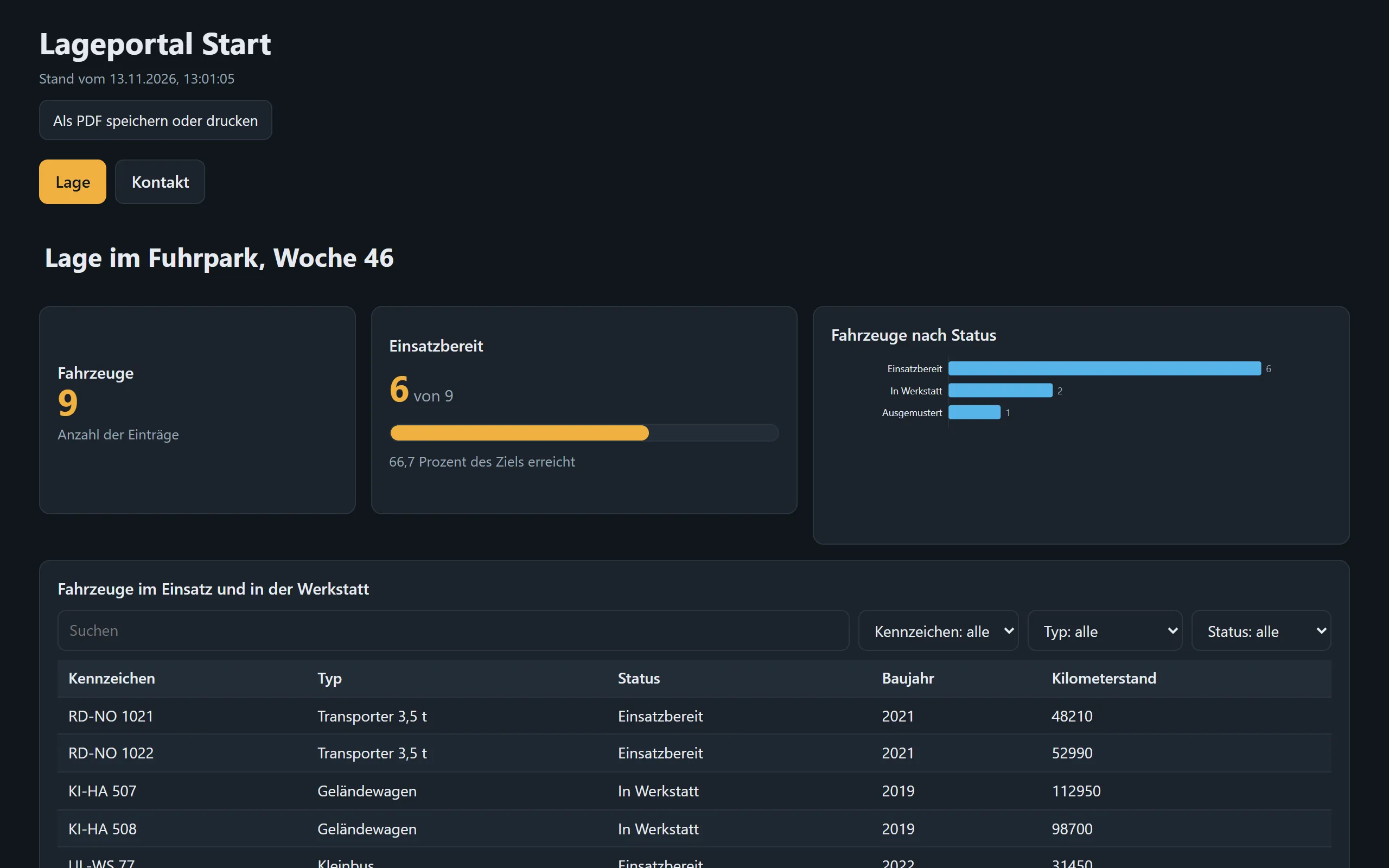
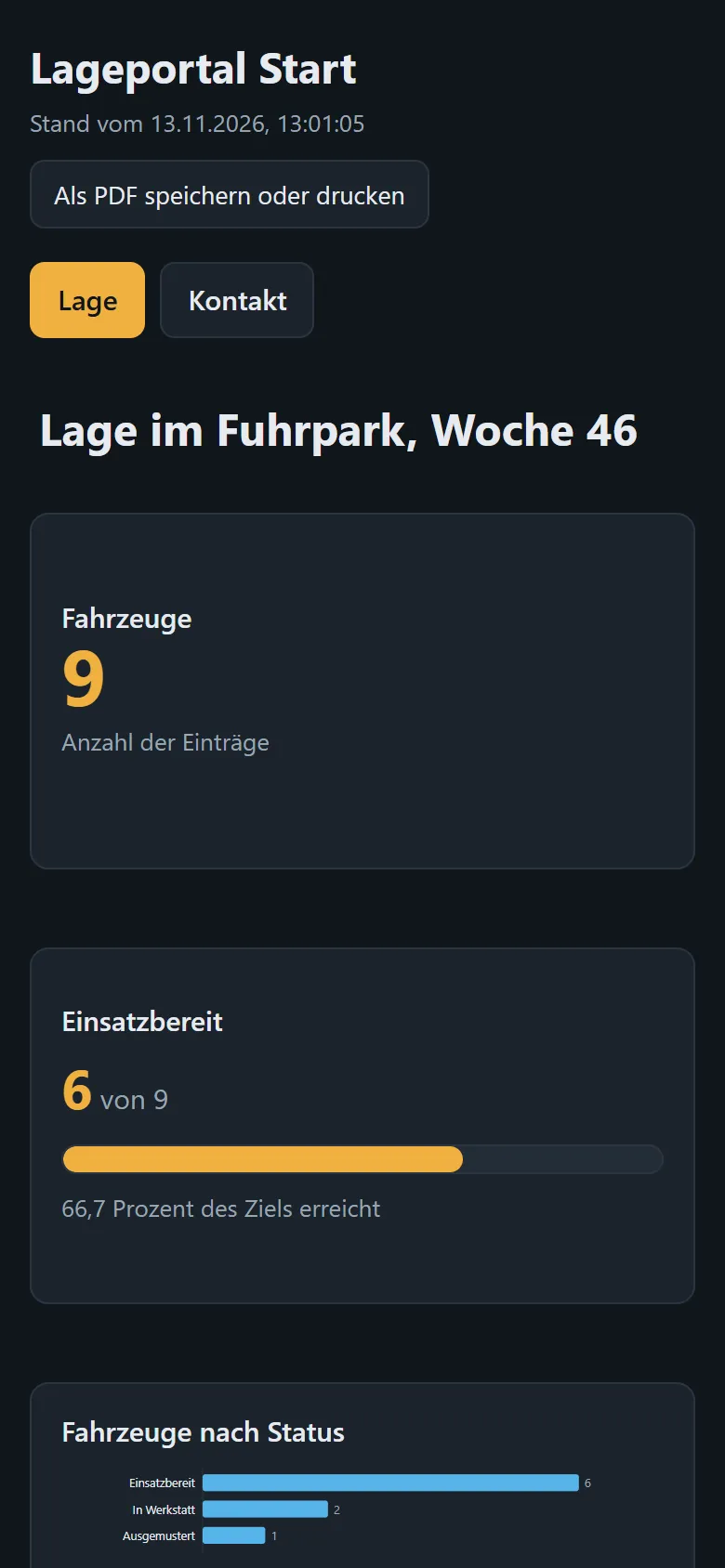
The delivered website with menu, key figures, progress, chart and tabs, self-contained and without a connection to the server.
Tabs in the editor: tabs with text and further blocks such as a table.
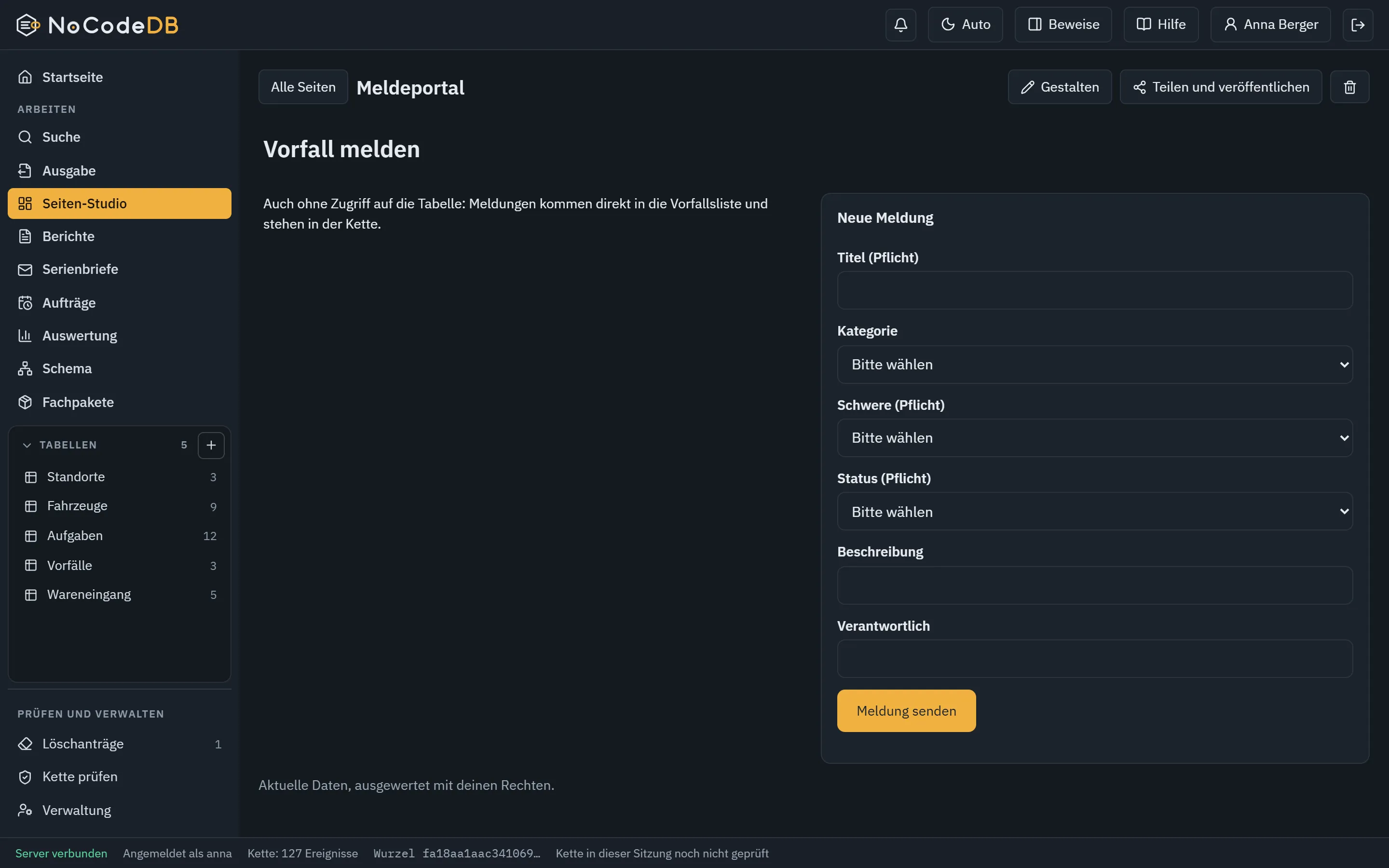
Capture form inside a page, also for accounts without access to the table.
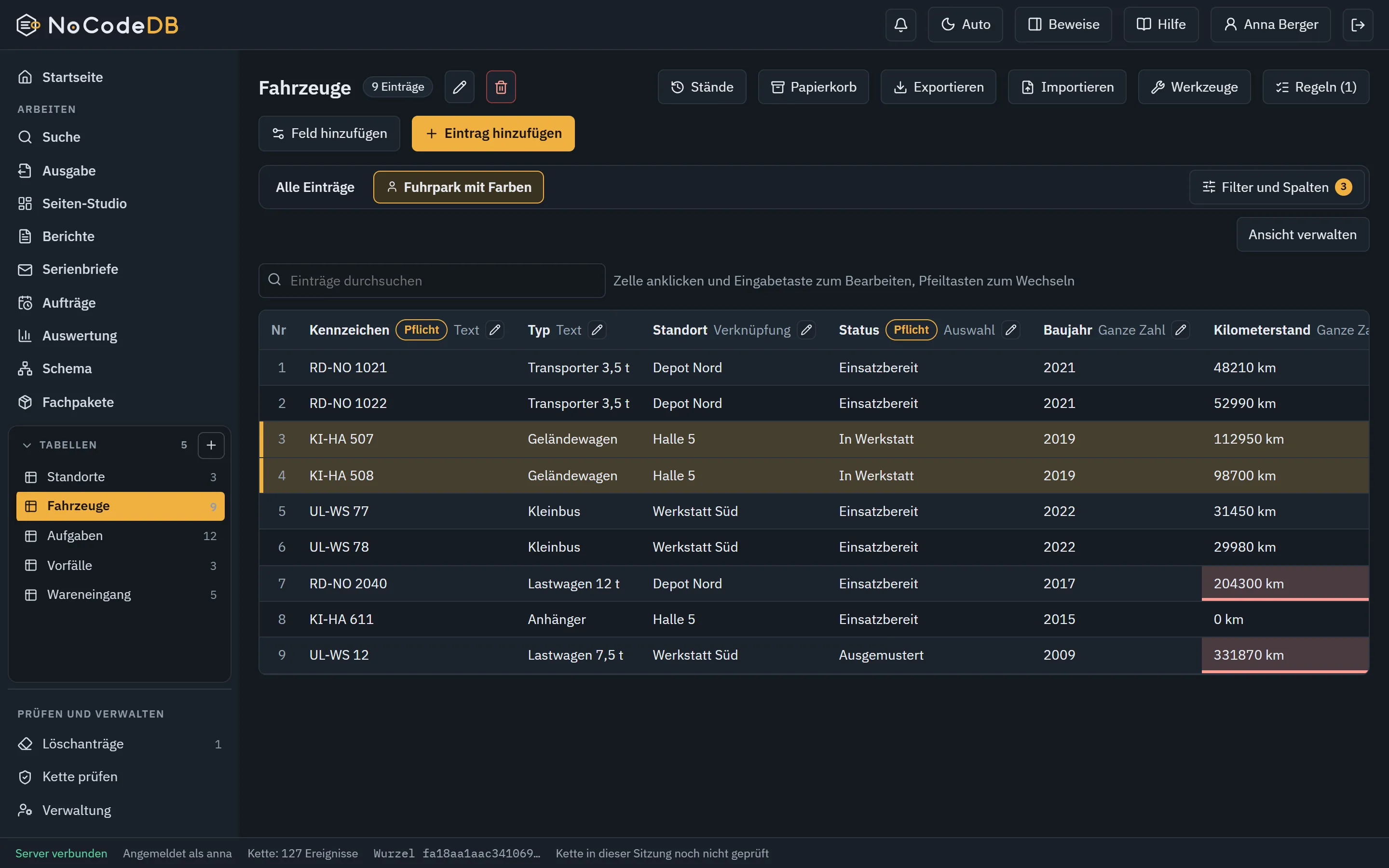
Table with calculated fields and colours by rule, from the fleet template.
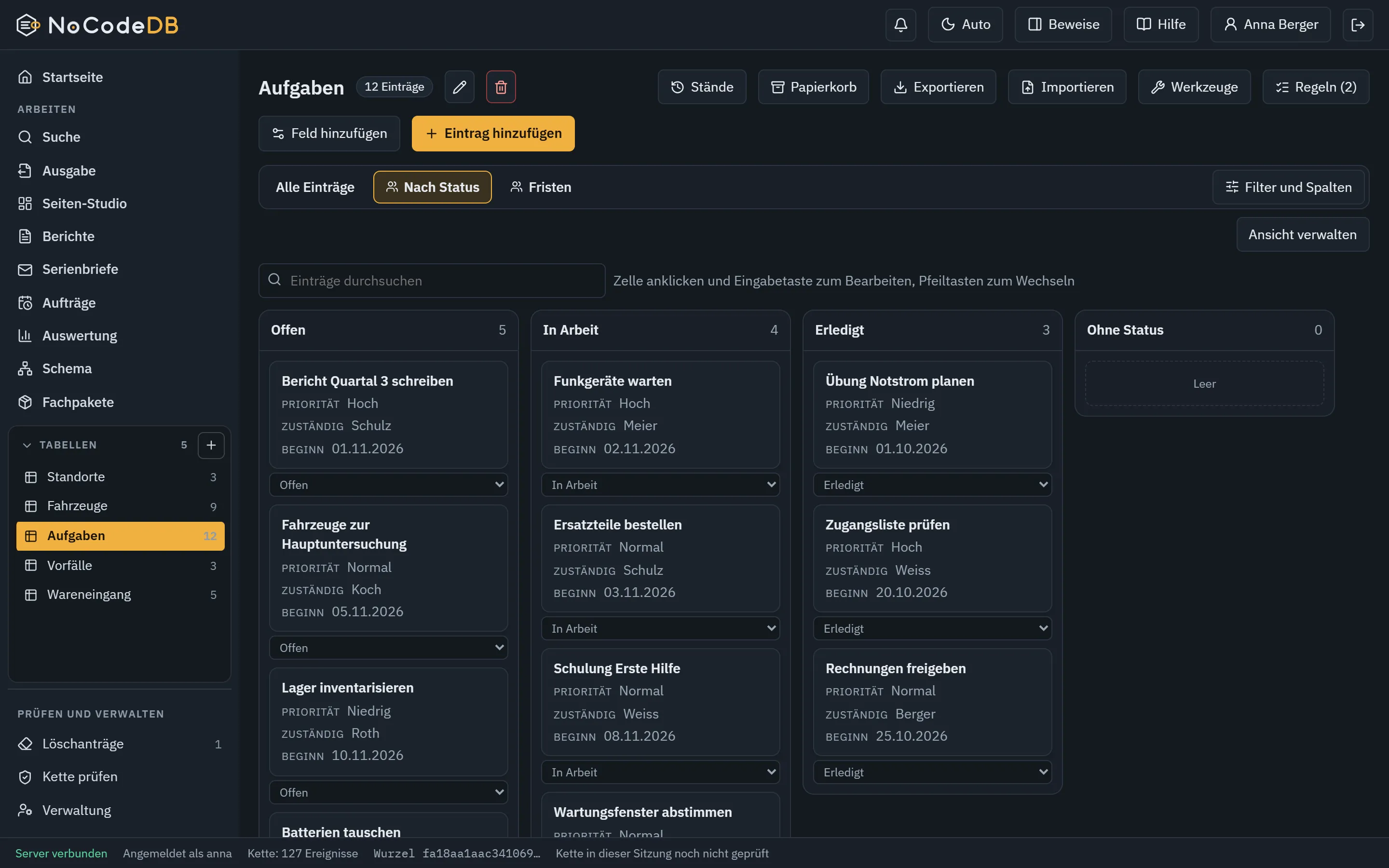
Kanban by status, move cards by mouse or selection. Rules still apply.
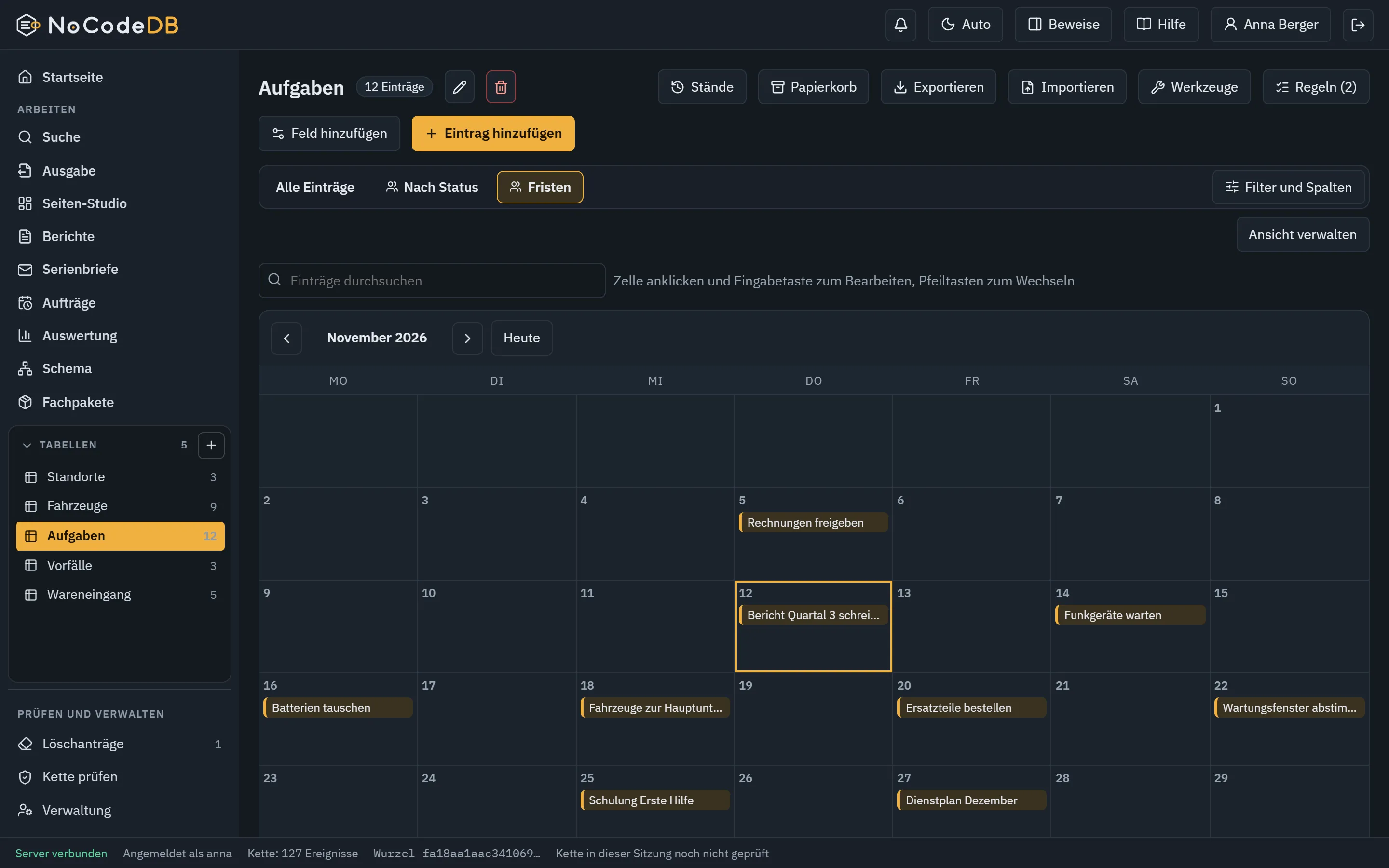
The same entries as a calendar by due date.
Schema view: all tables, their fields and links at a glance.
Analysis by any field, exactly calculated, as table and chart.
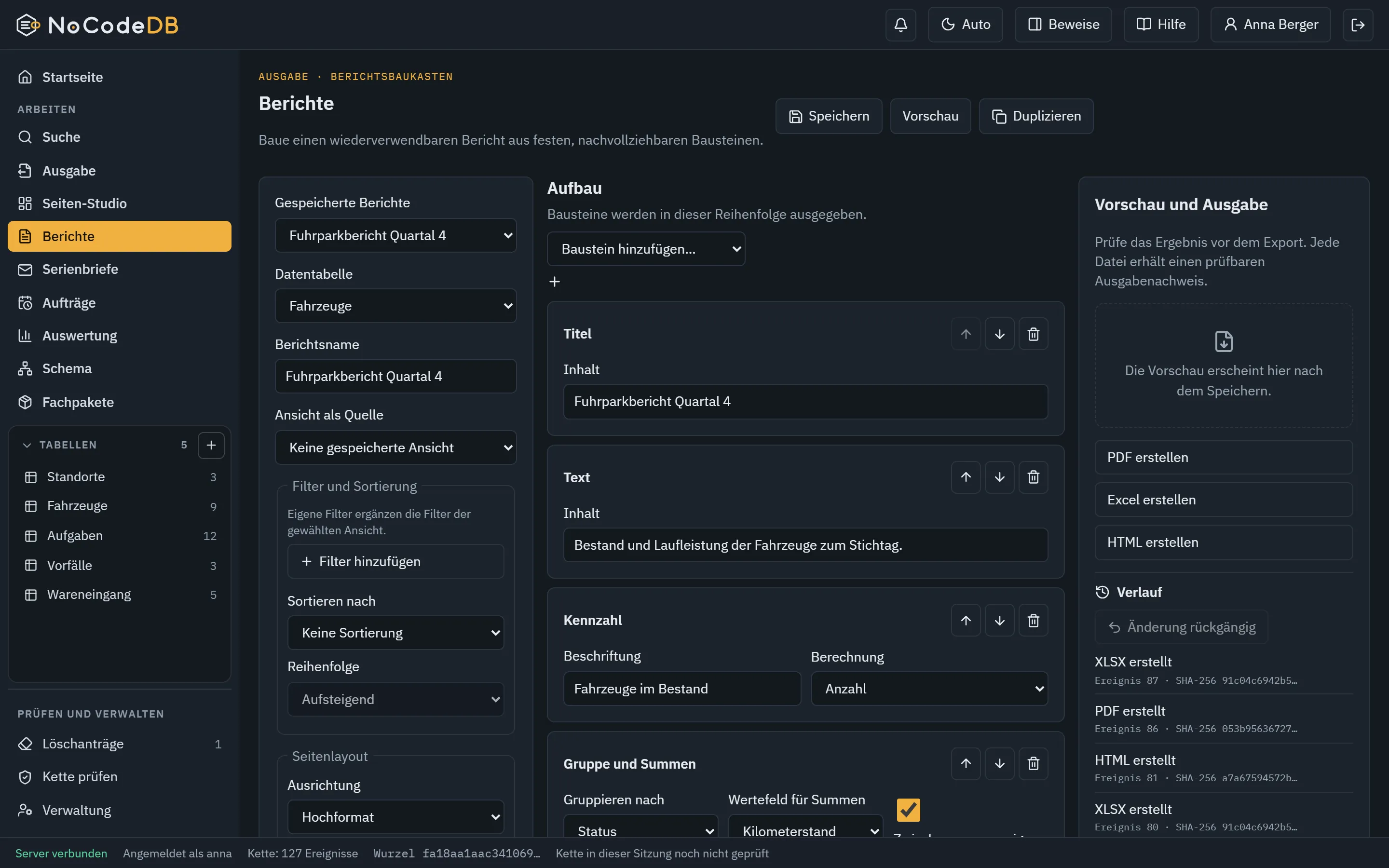
Reports from blocks as PDF, Excel and HTML.
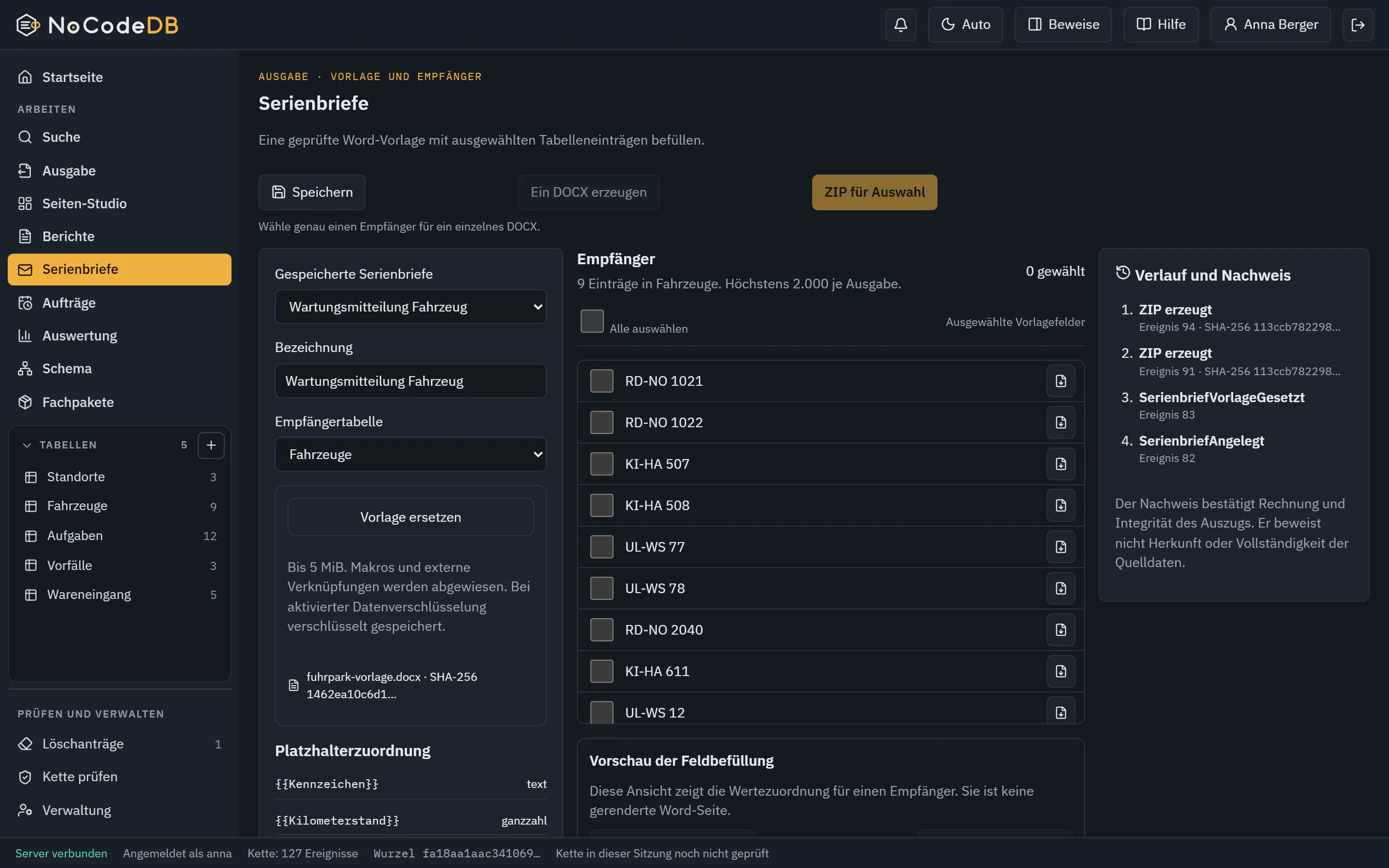
Mail merge: Word template with placeholders, one document per record.
The Output page shows every way to a result at a glance.
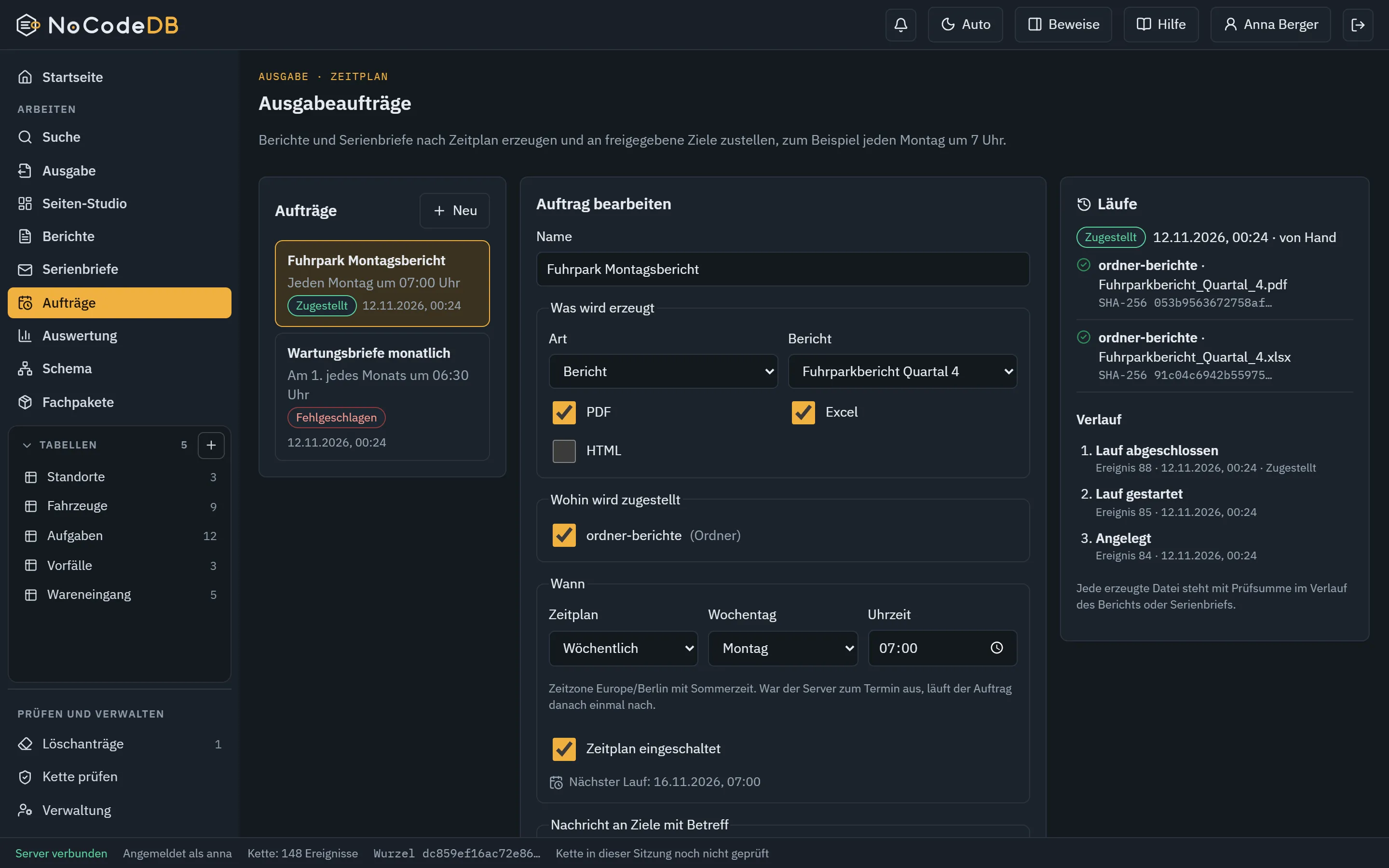
Output jobs: reports, pages and websites on a schedule, every file with a checksum in the chain.
Teams in table access: a department gets read access without every person needing their own role.
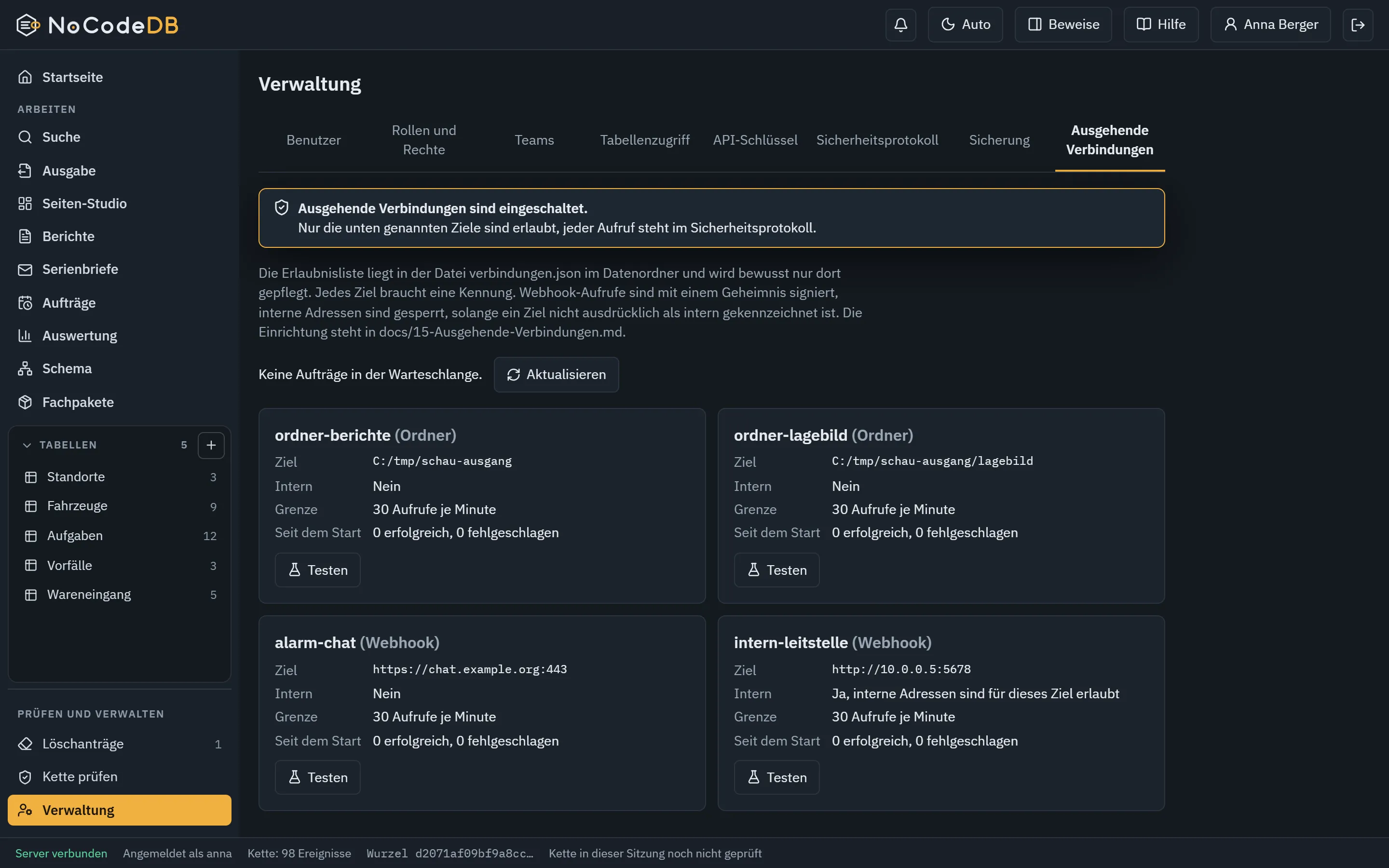
Outgoing connections: off by default, every target allowed individually, every call recorded.
Permanent erasure with the four-eyes principle. The server enforces the second person.
Template packs: ready-made tables and rules, dry-run on a copy first.
Tools: find duplicates, preview the merge and choose the valid value for each differing field.
Search and replace shows every single change first, nothing is written before you confirm.
A record with barcode, note, drawn signature and action button, plus script and comments.
Receipt of an event with proof and the option to revert the change as a new signed event.
Your own table templates: save, rename and apply as a new table at any time.
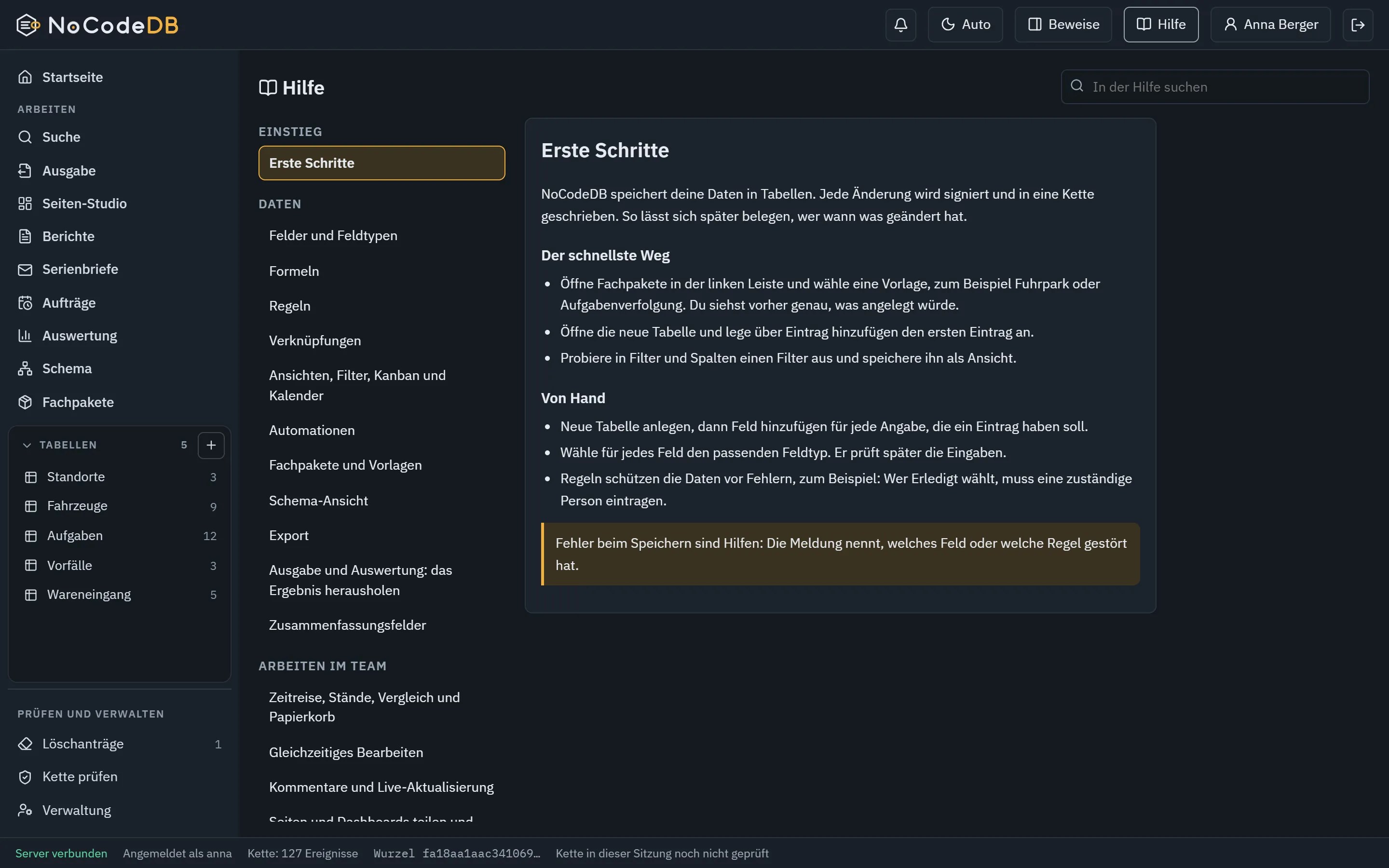
In-app help with search and context help.
01 / 24

Demo 1

Tamper with an entry and see what happens.

This is not an animation. Your browser recomputes every hash with SHA-256. Change the text of one event and all following events lose their validity.

Your browser does not offer SHA-256 here (needs a secure context or localhost).

Demo 2

Really erase and still stay verifiable.

An erasure duty and an immutable chain seem to exclude each other. Not here: after a second person approves, value and salt disappear from the event. The hash of the field stays, so the chain stays valid.

Your browser does not offer SHA-256 here (needs a secure context or localhost).

Honest comparison

Where NoCodeDB is different.

Every line can be verified.

Where NoCodeDB differs

  • Runs in your premises, no mandatory cloud, no telemetry
  • Every change is signed and chained, a verifier proves it independently
  • Deletion with a second person, and the chain stays verifiable
  • Outgoing connections are off until you allow them
  • German down to formulas, messages and help
  • A single service instead of a landscape of servers
  • The operator keeps data, keys and decisions

Whoever may not give data out of the house and later has to prove what happened finds in NoCodeDB what cloud tools do not offer.

Security

Hardened and provable.

Everything here is built and tested.

  • Passwords with Argon2id, second factor per RFC 6238 with recovery codes, hardware security keys
  • 19 individual rights, custom roles, teams, rights per table, protection of the last administrator
  • Built-in TLS 1.2 and 1.3, plain text only on localhost
  • Master key optionally protected by a master password, encrypted backup
  • Sign-in lockouts with growing delay, sessions with idle and maximum lifetime
  • Protection against request forgery, strict security headers, bounded input sizes
  • Outgoing connections off by default, internal addresses blocked, signed webhooks, every call logged
  • Export with checksum, neutralisation of formula injection
  • Around 600 automated checks, plus browser runs and attack tests
  • A third-party review and a test with real hardware are still missing, we do not claim them
  • Operation in an isolated network without internet is possible

Deployment

Operational in a few minutes.

A graphical installer guides you through every step and shows what it will do beforehand.

01

Check

The installer verifies the package, the port and the prerequisites before it changes anything.

02

Choose

Only on this machine or in the network with TLS. Service, firewall and licence file are individual choices.

03

Operate

Update and uninstall are provided and run with a dry run. Data is never removed without your consent.

04

Back up

Encrypted full backup, restore into an empty folder with verification.

Enquiry

Request a conversation and a demonstration.

Enquiries about NoCodeDB go through Defconder. We talk to bodies of the armed forces, the police, public authorities and critical operators and show NoCodeDB against your requirements, on request on site and without internet.

Request a conversation and a demonstration.

Please state your body and your use case in the enquiry.

FAQ

What people ask us.

Yes. The latest change to a record, field, rule, view, automation or table can be reverted from its receipt with one click. This creates a new signed event. Nothing is overwritten, and the history stays complete and verifiable.

NoCodeDB is a no-code database. Specialists use it to build tables, formulas, rules, analyses, reports, dashboards and websites without programming. It runs as a single service in your own premises, and every change is signed and verifiable in a hash chain.

For now only armed forces, police, public authorities and operators of critical infrastructure. Data sovereignty, proof and operation in your own premises matter most there. Private individuals and the open market are not served.

Through an enquiry with Defconder. We talk to the body, clarify the use case and show NoCodeDB in a demonstration, on request on site. There is no self-registration and no download for everyone.

Yes. NoCodeDB is a single service with its own data file and runs locally or in your own network, also without internet. On a network it only starts encrypted. There is no telemetry and no mandatory outgoing connection.

No. Fields, formulas, rules, views, analyses, pages and output are set up in the interface. Formulas are deliberately limited: no custom code, no access to the outside.

The Page Studio is the layout editor of NoCodeDB. You click key figures, charts, tables, texts, images and forms together into dashboards and websites, design them for tablet and phone too, and output them as a website package, single file, PDF or image.

Yes. Several pages become a website with menu, submenu, sitemap and 404 page. It runs on any web server and by double-click, loads nothing from third-party sites and sets no cookies. Always a frozen state approved by a second person is published, never open access to the database.

Yes. After a request and approval by a second person the values of an entry are removed from the chain. The chain stays verifiable because the event format keeps the hashes of the removed fields. Copies and backups are destroyed separately.

NoCodeDB is hardened and provable: passwords with Argon2id, second factor and hardware security keys, built-in TLS, strict security headers, outgoing connections off by default, every change signed and chained. Around 600 automated checks plus browser and attack tests back this up.

Only if you allow it. Webhooks, e-mail, WebDAV, S3 and folders are off until an administrator enters a target. Internal addresses are blocked, every call is in the security log.

On Windows, with a graphical installer. PDF and image of pages are rendered by the server with Microsoft Edge or Google Chrome.

With user name and password, optionally with a second factor or hardware security key. Sign-in through a directory (LDAP) and a company account (OpenID Connect) is built in and only active when an administrator sets it up. Accounts can be provisioned through SCIM, never with administrator rights.

NoCodeDB originates in the same effort as Defconder, uses the same event format and verifier and is offered through Defconder. It runs standalone and does not need Defconder.

After a conversation and a demonstration, a graphical installer guides the set-up and NoCodeDB is ready in a few minutes. Scope and dates are settled in conversation.